1
ESG Family Signal Generators
Preparing for Use
Setting up the Equipment for Remote Operation
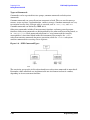
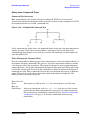
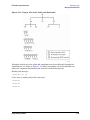
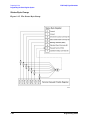
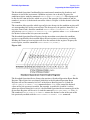
You can connect as many as 14 instruments to the signal generator via GPIB (15 total
instruments in the system). The cables can be interconnected in a star pattern (one central
instrument, with the GPIB cables emanating from that instrument like spokes on a
wheel), or in a linear pattern (like boxcars on a train), or any combination pattern. The
following restrictions apply:
• Each instrument must have a unique GPIB address ranging from 0 through 30
(decimal).
• In a two-instrument system that uses just one GPIB cable, the cable length must not
exceed 4 meters (9.13 ft.) between the two instruments.
• When more than two instruments are connected on the bus, the cable length between
each instrument must not exceed 2 meters (6.5 ft.) per unit.
• The total cable length between all instruments must not exceed 20 meters (65 ft.).
Setting Up the Interface for GPIB Operation
1. Connect a computer and any other peripherals to the signal generator with GPIB
cables.
2. Reset all instruments connected to the bus. If you are not sure how to reset a device,
switch off the line power to the device and then switch the power back on.
3. Check the signal generator’s GPIB address.
Press Utility > GPIB/RS-232 > GPIB Address.
If the address is not 19, press 1 > 9 > Enter.
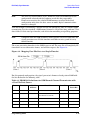
NOTE
Programming examples in this book assume that the signal generator’s GPIB
address is 19. Modify the examples, if necessary, to correspond to your signal
generator’s address.
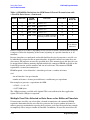
4. Check the signal generator’s remote language.
Press Utility > GPIB/RS-232 > Remote Language. The default remote language is SCPI.
If SCPI is not highlighted, press SCPI.
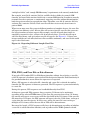
NOTE
Although there are a number of remote languages compatible with other
signal sources, SCPI is the only remote language that can implement all of
the signal generator’s features. Unless you have reason to use one of the other
remote languages (for example, programs previously written for another
signal source that has been replaced by the ESG family signal generator),
choose SCPI to maximize your control of the signal generator’s functionality.
All programming commands in this documentation set are written in SCPI.
Programming Guide
1-5