1
Display views
E
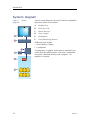
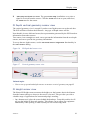
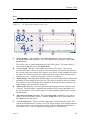
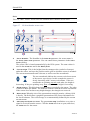
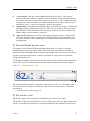
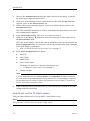
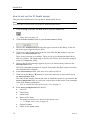
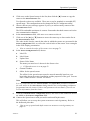
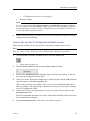
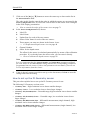
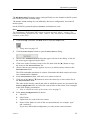
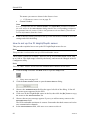
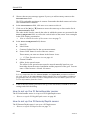
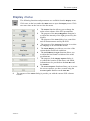
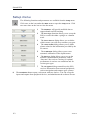
Pulse lamp and Trend view icons: The green Pulse lamp icon flashes every time a
signal is received from the sensor. Click the Trend view icon to open (and close)
the Trend view for the sensor.
PI Depth vertical geometry sensor view
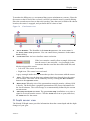
The vertical geometry view is created if you have one Depth sensor on each trawl door.
The PI50 will then calculate the difference. Any type of Depth sensor will do.
Note that this is not a dedicated sensor, but a presentation generated by the PI50 based on
information from other sensors.
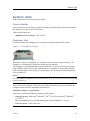
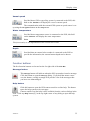
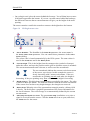
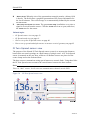
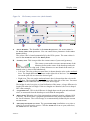
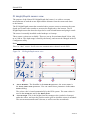
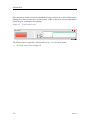
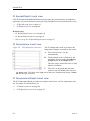
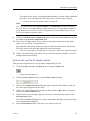
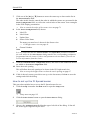
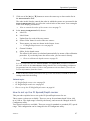
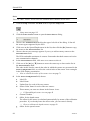
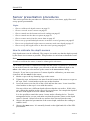
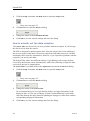
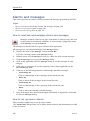
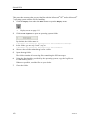
Two sensor view rectangles are used, one to present the information from the two depth
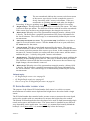
sensors, and one to provide the geometry information.
To set up the two depth sensors, use the Advanced Sensor Configuration functionality in
the Select Sensors dialog.
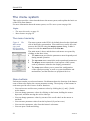
Figure 16
PI Depth dual sensor view
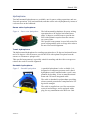
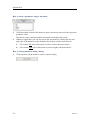
Figure 17
Vertical geometry sensor view
Related topics
•
How to set up spread and depth sensors to measure vertical geometry on page 95
PI Height sensor view
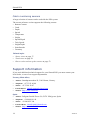
The Simrad PI Height sensor measures the height over the bottom, that is the distance
from the bottom and up to wherever the sensor is located. This provides you with a
valuable range of applications for bottom and pelagic trawling.
• On a bottom trawl, place the sensor behind the headrope. From this position it will
tell you the height of the trawl opening. This allows you to adjust you equipment
immediately if the opening is reduced, and you will avoid losing catch.
328457/A
41