1
Chapter 9
EXTERNAL SEQUENCING
As the W-5000's sequencer is only capable of 'single-pass recording', you'll need to use an external
sequencer if you want to do any multi-track recording. The Rodgers PR-300S is a very good example of such
a unit! The following explanation therefore assumes that you're using a PR-300S (or similar unit). (Refer to
your sequencer's manual for information on multi-track recording.)
W-5000 sequencing can be done using the same 'master' MIDI inputs and outputs described in the preceding
section. However, when playing back such a sequence, it plays on the same section of the instrument that the
keyboards play on (rather like a player piano). This kind of sequencing only allows for three 'tracks', one for
each keyboard, and is therefore of limited usefulness. What's more, since the 'master' channel interface only
records note messages, raw controller data and General Preset selection, the instrument must have access to
the same folder of presets for recording and playback.
Native Mode sequencing (internal or external) transcends these limitations. First, it plays back on a
completely independent section of the instrument (except for a few common global controls), so it doesn't
interfere with your ability to play along with the sequence. Second, it records the individual parameters of
the sound, not General Preset selection, so it doesn't matter what presets are available when you play back
the sequence.
MASTER CHANNEL SEQUENCING
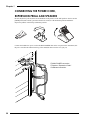
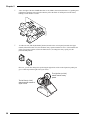
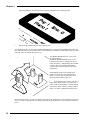
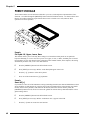
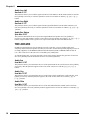
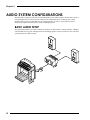
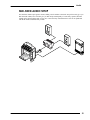
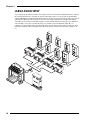
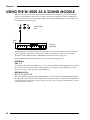
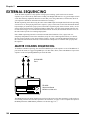
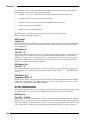
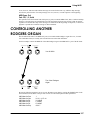
To do Master Channel sequencing, first connect the MIDI IN port of the sequencer to one of the MIDI OUT
ports on the W-5000 (we suggest using MIDI port 1 for this mode). Then, connect the MIDI OUT port of the
sequencer to the corresponding MIDI IN port on the W-5000.
W-5000 MIDI
Port 1.
PR-300S
Sequencer/Sound
Module or similar unit.
The [MIDI] button in the FUNCTIONS section will provide access to the many parameters you'll need to set
for recording. Note that not all of these parameters are listed here; see page 115 for a complete description of
the MIDI parameters. (MIDI Master parameters are listed on page 133.)
100