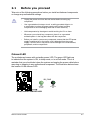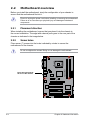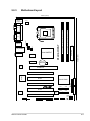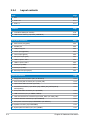
1
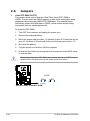
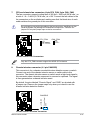
ICH7 Primary IDE connector (40-1 pin PRI_IDE)
This connector is for an Ultra DMA 100/66/33 signal cable. The Ultra
DMA 100/66/33 signal cable has three connectors: a blue connector for the
primary IDE connector on the motherboard, a black connector for an Ultra
DMA 100/66/33 IDE slave device (optical drive/hard disk drive), and a gray
connector for an Ultra DMA 100/66/33 IDE master device (hard disk drive).
If you install two hard disk drives, you must configure the second drive
as a slave device by setting its jumper accordingly. Refer to the hard disk
documentation for the jumper settings.
•
Pin 20 on the IDE connector is removed to match the covered hole on the
Ultra DMA cable connector. This prevents incorrect insertion when you
connect the IDE cable.
•
Use the 80-conductor IDE cable for Ultra DMA 100/66/33 IDE devices.
PRI_IDE
P5LD2-C/IPAT
2.
P5LD2-C/IPAT IDE Connector
3.
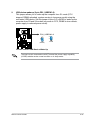
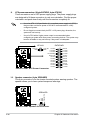
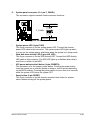
Optical drive audio connector (4-pin CD)
This connector is for the 4-pin audio cable that connects to the audio
connector at the back of the optical drive.
Right Audio Channel
Ground
Ground
Left Audio Channel
P5LD2-C/IPAT
CD
(black)
P5LD2-C/IPAT Internal Audio Connector
2-24
Chapter 2: Hardware information