1
Connecting AC and RPS-SYS Power ..............................................................................................3-16
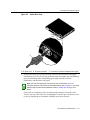
AC Power ..................................................................................................................................3-16
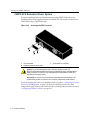
C2RPS-SYS Redundant Power System ...................................................................................3-18
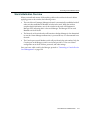
Stack Initialization Overview ......................................................................................................3-19
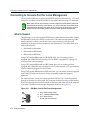
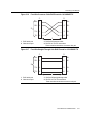
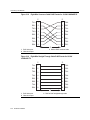
Connecting to Console Port for Local Management ........................................................................3-20
What Is Needed .........................................................................................................................3-20
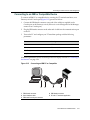
Connecting to an IBM or Compatible Device .............................................................................3-21
Connecting to a VT Series Terminal ..........................................................................................3-22
Connecting to a Modem ............................................................................................................3-23
Connecting to the Network ...............................................................................................................3-24
Connecting Fiber-Optic Cables from A2H124-24FX to the Network .........................................3-24
Connecting Fiber-Optic Cables to MT-RJ Mini-GBIC Ports .......................................................3-26
Connecting Fiber-Optic Cables to LC Mini-GBIC Ports .............................................................3-28
Connecting UTP Cables to RJ45 Mini-GBIC Ports ....................................................................3-30
Completing the Installation ...............................................................................................................3-33
Initial Logon to Switch Management ..........................................................................................3-33
Chapter 4: Troubleshooting
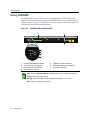
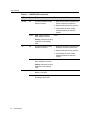
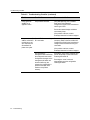
Using LANVIEW .................................................................................................................................4-2
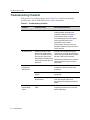
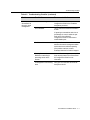
Troubleshooting Checklist ..................................................................................................................4-6
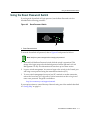
Using the Reset Password Switch .....................................................................................................4-9
Appendix A: Specifications
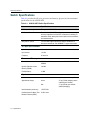
Switch Specifications ........................................................................................................................ A-2
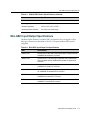
Mini-GBIC Input/Output Specifications ............................................................................................. A-3
Gigabit Ethernet Specifications ......................................................................................................... A-4
MGBIC-LC01/MGBIC-MT01 Specifications (1000BASE-SX) ..................................................... A-4
MGBIC-LC03 Specifications (1000BASE-SX) ............................................................................ A-5
MGBIC-LC09 Specifications (1000BASE-LX) ............................................................................ A-5
MGBIC-08 Specifications (1000BASE-ELX) .............................................................................. A-6
MGBIC-02 Specifications (1000BASE-T) ................................................................................... A-6
Console Port Pinout Assignments .................................................................................................... A-7
Regulatory Compliance ..................................................................................................................... A-7
Index
xii