1
(Continued)
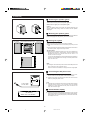
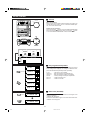
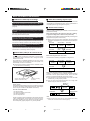
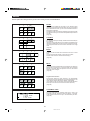
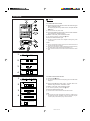
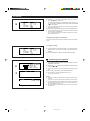
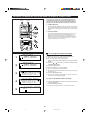
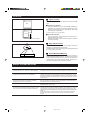
H Repeat and random play
MD
An entire disc, a single track, or a programmed sequence
can be continuously repeated.
CD
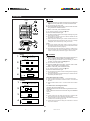
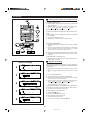
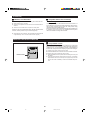
1
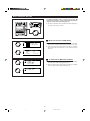
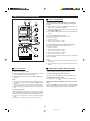
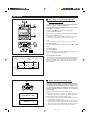
Select the desired program source, CD or MD, by pressing the
CD H or MD H button.
2
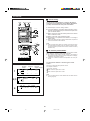
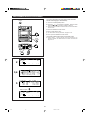
Press the P-MODE button.
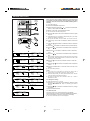
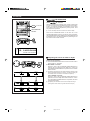
I Each time this button is pressed, the mode will change in the following
order:
1 2 3
Repeat play → Random play →Normal play
3
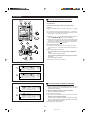
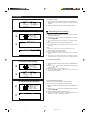
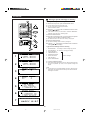
Press the 06 button to start playback.
I When all of the tracks have played in random order, the unit will stop
automatically.
P-MODE
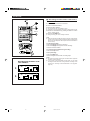
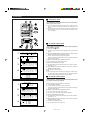
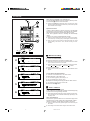
To stop playback:
Press the CD H or MD H button.
To cancel repeat playback or random play:
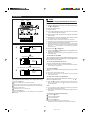
Press the P-MODE button until the R or "RANDOM" display
disappears.
TIME
CD
MD
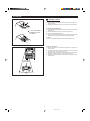
I When you open the disc tray or a MiniDisc is removed, repeat play or
random play mode will be canceled.
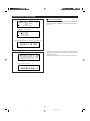
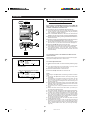
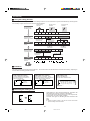
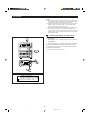
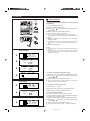
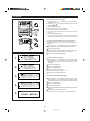
To repeat playback of selected tracks:
Enter the program for the tracks you want and start repeat play.
You can program a single track and play it repeatedly.
CD
16
56 :13
Note:
TOTAL
I During APMS play, random play is not possible.
or
D I SC1
S TOP
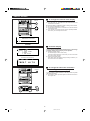
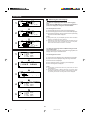
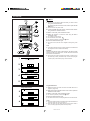
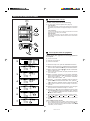
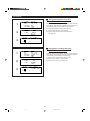
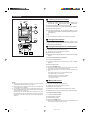
When more than one CD is inserted:
When you press the CD PLAY 06 button ...
I All of the CDs in the unit will be played repeatedly or randomly.
(Playback will continue until the unit is stopped.)
When you press the CD PLAY buttons ( 1 - 3 ) :
Only tracks from the selected CD will be played repeatedly or
randomly.
I When all of the tracks have been played in random order, the unit will
stop. (None of the tracks is played twice.)
24
*22-26
24
98.6.23, 10:31 AM