1
Operation
M217
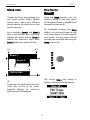
Setting the display contrast
Setting the time in the side room
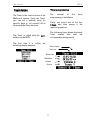
The contrast of the display is
adjusted by Revox to an optimal
reading angle.
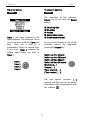
The time can also be set from a side
room, assuming that an M217 Wallmounted display is being used.
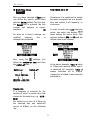
Depending upon installation position
it can occur however that a stronger
or weaker contrast attitude supplies
the better reading off result. This
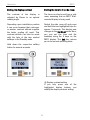
contrast attitude can later be made
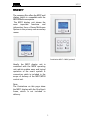
with the help of the two marked
softkeys in the Standby mode.
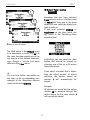
Switch the side room off and press
and hold the two highlighted keys for
approx. 2 seconds. The display now
changes to the Set Clock mode. Here,
you can set the time and the
weekday using the 4 keys on the
M217 display. The Exit key returns
you to the normal operating state.
Hold down the respective softkey
button for several seconds.
L Display contrast setting
If you only press one of the
highlighted display buttons, you
modify the display contrast setting.
16