1
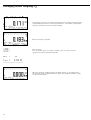
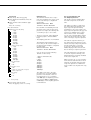
Averaging (Animal Weighing) V
With the Averaging application, you
can use your weighing platform for
calculating weights as the average of a
number of individual weighing operations. These individual operations are
also known as “subweighing operations.”
This function is used to determine
weights under unstable ambient conditions or for weighing unstable samples
(such as live animals).
Features
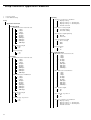
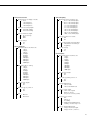
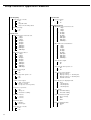
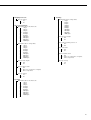
– Averaging started manually or automatically. Configured in Setup under:
Application: Animal
wgh: Start
With manual start selected, the averaging routine begins when you press a key
(provided the start conditions are met).
With automatic start selected, averaging
begins when you place the first load on
the platform (provided the start conditions are met).
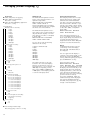
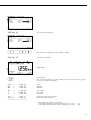
Soft Key Functions
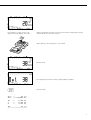
Start Begin animal weighing.
The calculation is made when
the specified number of
subweighing operations have
been completed.
A number of subweighing operations
are required to form the basis for calculation of an average weight. You can
enter the desired number of subweighing operations using the keypad.
The number you enter is saved until
it is overwritten by another number.
It also remains in memory when you
switch to a different application
program, or turn off the Combics.
mDef – Save the value entered
as “Number of weighing operations for averaging”.
– Begin averaging with the
number of weighing operations entered as the basis
There are three ways to start the
averaging routine:
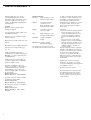
Weigh. Toggle display to Weighing
mode
Result Toggle display to result
of last measurement
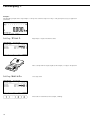
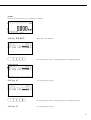
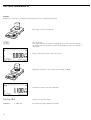
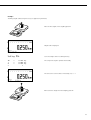
- Manual start with preset number of
subweighing operations:
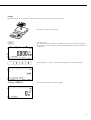
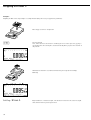
Place the sample on the platform and
press the Start soft key
– Enter the number of subweighing
operations using the keypad
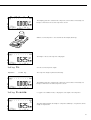
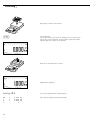
– Manual start with user-defined number
of subweighing operations:
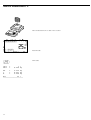
Place the sample on the platform and
enter the number of weighing operations using the keypad. Press the
mDef soft key to save the number
entered and begin weighing.
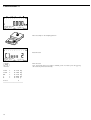
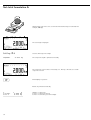
– Info mode
–
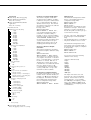
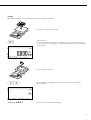
– Toggle the display from “result of last
measurement” to “current weight” by
pressing the Weigh soft key, and
back by pressing Result
Automatic start with preset number
of subweighing operations:
Measurement begins when you place
the first sample on the platform,
provided the start conditions are met.
– Automatic start of averaging when
the Combics is turned on and a sample
placed on the platform (provided start
conditions are met). Configured in
Setup under:
Application: Animal
wgh: Autostart
– Automatic taring of container weight.
Configured in Setup under:
Application: Animal
wgh: Autotare
– Automatic printout of results.
Configured in Setup under:
Application: Animal
wgh: Printout
– Restore factory default settings.
Configured in Setup under:
Application: Animal
wgh: Factory set
13