1
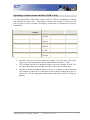
Correct Sitting Posture
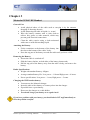
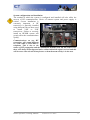
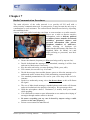
Sitting posture is important, as sitting places greater stress on the spine than standing.
Incorrect sitting may cause discomfort and fatigue due to increased muscle activity
and poor body alignment. To achieve a correct sitting posture have:
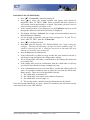
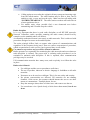
• Good lower back support - sit back in the chair.
• Knees slightly higher than hips.
• Feet flat on the floor or on a footstool.
• Task at waist level.
• Shoulders relaxed and arms at sides.
• Elbows bent at 90 degrees.
• Wrists in a neutral position. Adjust the office chair to achieve this position.
• The chair should support your back at all times.
• Adjust the seat height, the back angle and the back height of the chair to
achieve a good working position.
• Adjust the chair so thighs are approximately horizontal and feet rest
comfortably on the floor.
• An angled foot rest may help if the desk is too high.
• Work should be at elbow height and legs should have room to move easily
under the desk.
• A chair without arms allows movement more freely.
• Use a chair on rollers allowing easier movement of the chair rather than
having to stretch or twist to reach work on a different area of the desk.
Lighting
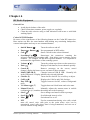
Poor lighting may increase fatigue, headaches and eye strain. When adjusting light
sources, aim to reduce glare (especially on computer screens), and reduce the contrast
between foreground and background. An anti glare screen may help.
Light should illuminate the work area adequately without glare. Avoid sitting directly
facing a bright window. Use equipment with matt finishes to reduce glare.
Using a Computer
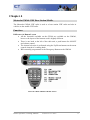
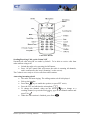
• Position the monitor so the top of the screen is level with eye line and at a
distance of one full arm length when seated at the computer. Having to look
down or up at the screen may cause neck and shoulder strain.
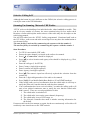
• Reference documents (on document holders) should be placed centrally
between the key board and the screen. This avoids twisting the lower back and
neck.
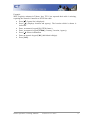
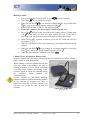
• The angle of the key board should be lowered so arms and hands are in a
position which reduces the load on shoulders and wrists.
• If using a mouse, the hand and arm should be in a neutral position. Keep the
wrist flat and support the arm on the desk or on a wrist support.
Radio Operators Training Manual
Version 27/11/2007
91