1
Configuration In The Browser
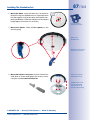
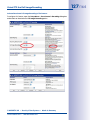
• Activate event control and recording: By factory default, the MOBOTIX camera’s
event control is disabled. Click on the Arm & Record button to activate event control.
This will activate motion detection and recording. Cameras with integrated flash
memory (MOBOTIX R models and models with SD card) will use the flash memory
by default to store the image and video data (recording target). If desired, you can
set additional events and adjust the settings of the recording and storage parameters (Setup Menu > Event Settings, Setup Menu > Recording and Admin Menu >
Recording to External File Server / Flash Device).
=> (Software Camera Manual Part 2, Chapter 7 and Chapter 8)
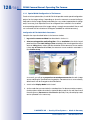
• Set up actions/messaging: Upon detecting an event, the MOBOTIX camera can
trigger alarms. These alarms can be adjusted to your needs and you can assign
them to one or more events: playing back an alarm sound on the camera speaker,
showing the visual alarm in the camera live image, sending an e-mail or network
message with the alarm image, placing a phone call, uploading an alarm image to
an FTP server, switching a signal output line of the camera (for example, for switching
on the lights/opening a door).
For the settings, see Setup Menu > Action Group Overview. The actions to be performed are defined and used in these action groups in the form of ”action profiles.”
The different action profiles can also be defined in the following areas: Admin Menu
in the Hardware Configuration (profiles for signal output), Transfer Profiles (FTP, e-mail,
network messages) and Sound and VoIP Telephony (sound profiles, VoIP profiles).
For more information, see the online help for the camera (see Section 3.6.12, «Online
Help In The Browser»).
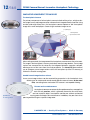
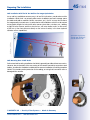
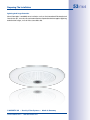
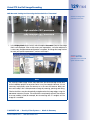
• Activate shock detector: The Q24M is the first MOBOTIX camera with a pre-installed
shock detector (for all IT and Secure versions). If, for example, the camera’s housing
receives a blow, it automatically registers it and send a notification via a network
message or telephone call. A general advantage is that MOBOTIX cameras are
extremely tough, not least because of the absence of mechanical moving parts. This
typically allows them to stay fully operational, in particular, when they are subject to
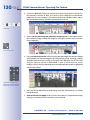
strong vibrations. Open the Setup Menu > Event Control > Environment Events >
Edit dialog box if you would like to activate the shock detector (and any other sensors).
© MOBOTIX AG • Security-Vision-Systems • Made in Germany
www.mobotix.com • sales@mobotix.com
143/164