1
Parker Hannifin
•
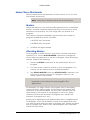
To reuse an axis and attach it to a different master/slave, you
must first separate it from the current master/slave using the
DETACH command.
For more information, see the ATTACH SLAVE command in the ACR
Command Language Reference.
Slaves and Axis Names
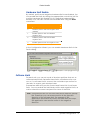
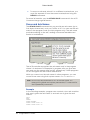
The ATTACH SLAVE command lets you provide an axis name (up to
four alpha characters)—such as X, ARM, or UP. You can use the axis
name in the program code (for that program only). The axis name
provides meaning to the axis, making code more readable and
easier to troubleshoot.
The ACR controller recognizes the axis name only in the program
where it is declared. For example, in program zero you give axes
zero and one the names ARM and UP, respectively. Other programs
do not recognize the axis names ARM and UP.
While you cannot use the axis names in other programs, you can
access those axes using their system names—AXIS0 and AXIS1.
NOTE: Do not use the characters P or F as an axis name. P is
reserved for global and system parameters; F is reserved for
the F (feedrate) command.
Example
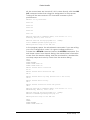
In the following example, program zero controls a two-axis machine.
Axis zero is given the axis name X, and axis one is given the axis
name Y.
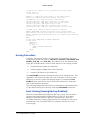
PROG0
HALT
DETACH
ATTACH MASTER0
ATTACH SLAVE0 AXIS0 “X”
ATTACH SLAVE1 AXIS1 “Y”
38
Programmer’s Guide