1
Installation and Operating Instructions
AV-3000 and AV-5000 Power Centers
2.6
Configuration and Control
There are 2 methods for configuring and controlling the PS AV Power Center. The preferred and most
powerful method of control is via the AV Power Center’s internal website. The other method of
configuration is accomplished via the front panel.
2.6.1
Internal Website
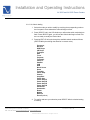
In order to control and configure the PS AV Power Center via the internal website the unit must
indicate a network connection with either a blue or green IP status light. The internal website can
be reached by either typing the unit’s local IP address into your web browser or by simply typing
“POWERCENTER” into your browser. The local IP address can be found by one of the following
methods:
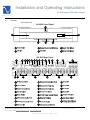
AV-5000 - touch the IP indicator repeatedly until the display window shows: “IP”
“###.###.###.##”
AV-3000 - press the status button repeatedly until the display window shows: “IP”
“###.###.###.##”
POWERCENTER is the default HOSTNAME. If you have multiple PS AV Power Centers in your
home you may edit the HOSTNAME as outlined in the Network Settings below.
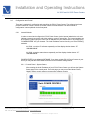
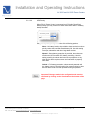
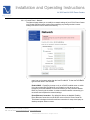
2.6.1.1 Control Panel – System Status
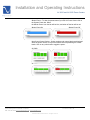
After entering the local IP address of your PS AV Power Center you will see the System
Status page of the control panel. From this page you may control the Master Power,
identify outlets, control outlets or access more advance controls
4826 Sterling Drive, Boulder CO 80301
PH: 720.406.8946 service@psaudio.com www.psaudio.com
©2009 PS Audio International Inc. All rights reserved.
15-052-21-1 Rev B