1
Home Page
Table of Contents
Sys Admin
Open customer programming and follow the instructions below.
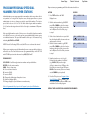
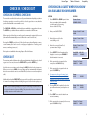
PROGRAM SYSTEM SPEED DIAL NAMES
ACTION
DISPLAY
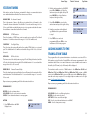
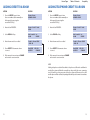
1. Press TRSF and then dial 705
Display shows the first number
SYS SPEED DIAL
500:
This program is used to assign a character name or identification for each system
speed dial location. This name enables you to locate the speed dial number when
you are using the directory dial feature.You may assign a name 11 characters long.
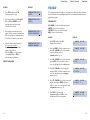
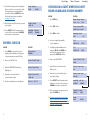
2. Dial the speed bin desired (e.g., 505) OR
press UP or DOWN to choose and
press the right soft key to move the cursor
SYS SPEED DIAL
505:
3. Enter the access code (e.g., 9—the system
will automatically insert a dash) followed by
the phone number (up to 24 digits long)
and press the right soft key to return to
step 2
4. Press the F key to toggle to Program
System Speed Dial Names, step 3 to
enter the name
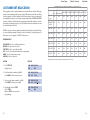
SYS SPEED DIAL
505:9–121223456789
5. Press TRSF to store and exit
programming OR press SPK to store
and advance to the next program
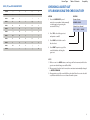
DEFAULT DATA: NO SPEED NUMBERS ASSIGNED
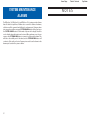
SYS SPEED NAME
505:
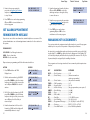
PROGRAM KEYS
UP & DOWN - Used to scroll through speed dial bins.
KEYPAD - Used to enter selections.
SOFT KEYS - Move cursor left and right.
SPK - Used to store data and advance to next program.
HOLD - Used to clear previous entry.
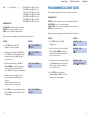
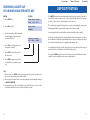
ACTION
DISPLAY
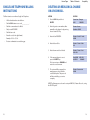
1. Press TRSF and then 706
Display shows the first name
SYS SPEED NAME
500:
2. Dial the system speed number (e.g., 505)
OR press UP or DOWN to select the entry
number and press the right soft key to
move the cursor
SYS SPEED NAME
505:
3. Enter the name as shown in Program
Station Names and press the right soft
key to return to step 2 OR press the
F key to toggle to the speed dial number
to return to Program System Speed Dial
Numbers, step 4
SYS SPEED NAME
505:SAMSUNG
4. Press the right soft key to return to step 2
above OR press TRSF to store and exit
programming OR press SPK to store and
advance to the next program
21
22