1
Channel Master Operation Manual
10
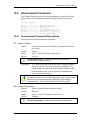
Channel Master Commands
This section defines the commands used by the Channel Masters. These
commands let you set up and control the Channel Master without using an
external software program such as our WinHADCP program. However, we
recommend you use our software to control the Channel Master because
entering commands directly from a terminal can be difficult. Most Channel
Master settings use factory-set values. If you change these values without
thought, you could ruin your deployment. Be sure you know what effect
each command has before using it. Call RDI if you do not understand the
function of any command.
Using WinHADCP for real-time deployments to develop the command file
will ensure that the Channel Master is set up correctly. The commands directly affect the range of the Channel Master and the standard deviation
(accuracy) of the data.
10.1
Data Communication and Command Format
You can enter commands with an IBM-compatible computer running RDI’s
BBTalk. The Channel Master communicates with the computer through an
RS-422 serial interface. We initially set the Channel Master at the factory
to communicate at 9600 baud, no parity, and one stop bit.
Immediately after you apply power to the Channel Master, it enters the
STANDBY mode. Send a BREAK signal using BBTalk by pressing the
End key. When the Channel Master receives a BREAK signal, it responds
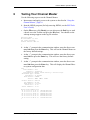
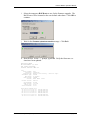
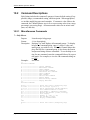
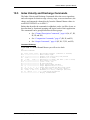
with a wake-up message similar to the one shown below. The Channel
Master is now ready to accept commands at the “>” prompt from either a
terminal or computer program.
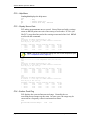
Horizontal ADCP
RD Instruments (c) 2005
All rights reserved.
Product Version: CM02.01
>
10.1.1 Command Input Processing
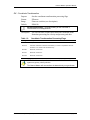
Input commands set Channel Master operating parameters, start data collection, run built-in tests (BIT), and asks for output data. All commands are
ASCII character(s) and must end with a carriage return (CR). For example,
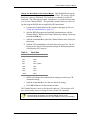
>WP0001<CR> [Your input]
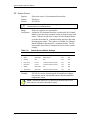
If the entered command is valid, the Channel Master executes the command. If the command is one that does not provide output data, the Channel Master sends a carriage return line feed <CR> <LF> and displays a new
“>” prompt. Continuing the example,
page 48
Teledyne RD Instruments