1
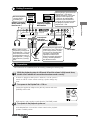
Using the slider (modify function)
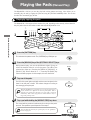
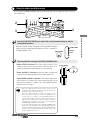
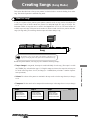
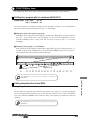
By moving the [SOUND JAMMER] slider while using the pads, you can change the pitch, volume, or
tone continuously.
SOUND
JAMMER
STEP/MEASURE
SONG/PATTERN
MEASURE
DRUM A
DRUM B
DRUM C
BEAT
Groove PLAY
MODE
BASS
VALUE
2
SONG
SOLO
+
+
MUTE
–
–
TAP
PATTERN
STEP
PAUSE
STOP
II
EXIT
TEMPO
SOUND CHANGE
VOLUME
REAL-TIME REC
PITCH
TOM 1
1
JAM
ON
FUNCTI
1
1
10
SWING
MIX
EXTRA
12
3
E
5
PRE COUNT
OPEN HAT
EXTRA 1
7
9
CLICK VOL
BASS TUN
CTRL ASSIGN
2
CYMBA
L
SHIFT
CLOSED HAT
DELETE
/ERASE
RIDE
BAR LENGTH
FUNCTIO
N
EXTRA 2
11
PAD SEN
S
EXTR
A3
13
Y
BASS KE
REPEAT/STEP
MIDI
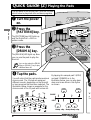
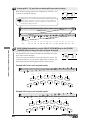
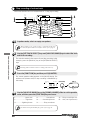
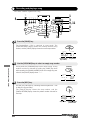
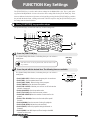
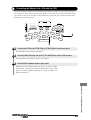
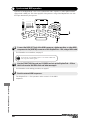
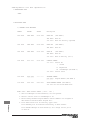
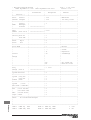
Use the [JAM FUNCTION] key to select the sound parameter that you want to
change with the slider.
With each push of the key, the setting cycles through the following
setting, and the corresponding LED lights up: PITCH → VOLUME →
SOUND CHANGE → Out.
[JAM FUNCTION]
SOUND CHANGE
VOLUME
PITCH
Out
STEP
2
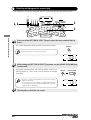
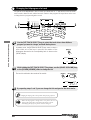
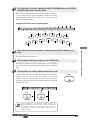
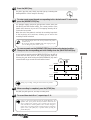
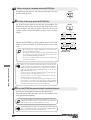
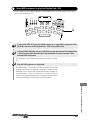
Tap the pad while moving the [SOUND JAMMER] slider.
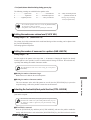
• When PITCH is selected: The slider center position is the
reference pitch, and moving the slider shifts the pitch up or
down. The adjustment range depends on the sound type.
[SOUND JAMMER]
PAD
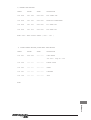
• When VOLUME is selected: Moving the slider changes the
volume. The pad tapping intensity has no effect in this case.
• When SOUND CHANGE is selected: In the center position of the
slider, there is no change in the sound. Moving the slider up or
down selects variation 1, variation 2 etc. The available variations
depend on the sound type.
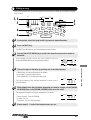
NOTE
• Only one sound parameter (pitch, volume, or tone) can be
changed at a time. When the parameter is switched, the previous
parameter returns to its original setting.
• When the sound parameter is switched, the slider becomes
active only after passing the position corresponding to the
current value. For example, if the VOLUME parameter is
selected with the slider set to 0, the volume will not become zero
right away. The volume starts to change only after the slider is
moved and has passed the current volume position ([SOUND
JAMMER] slider LED flashes at this point).
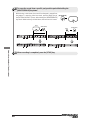
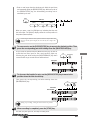
• If you have assigned PITCH to the [SOUND JAMMER] slider
on the bass track, moving the slider while tapping the pad will
produce sound with different pitches. Moving the slider from the
bottom to the top will shift the pitch in the same order as the
pitches assigned to pads 1 to 13.
13
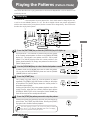
Playing the Pads (Manual Play)
STEP
8
QUANTIZE
2
SNARE
KICK
6
TIME SIG
4
CRASH
TOM 3
TOM 2
INSERT
/COPY