1
6802972C35.book Page 55 Monday, August 16, 2004 9:22 PM
The Emergency Mode allows you to use the PTT to transmit
with Emergency priority (by either initiating an Emergency
Group Call or requesting emergency transmit priority).
After entering Emergency Mode, you may send an
Emergency Alarm (if configured) and then start the
Emergency Group Call and activate Hot Microphone (if
configured).
The Emergency Alarm is a special Status message sent to
the infrastructure before the Emergency Group Call starts.
The terminal may wait for infrastructure acknowledge for this
Alarm and attempt retries. Each time you press the
Emergency button, the terminal will send an Emergency
Alarm.
• Emergency Private Call (half-duplex or full-duplex)
The terminal will start an Emergency Private Call to a predefined ID when you press and hold the Emergency button.
If an Emergency Private Call gets modified to an Emergency
Group Call, the terminal will enter Emergency Mode and will
leave the Emergency Mode when the call ends.
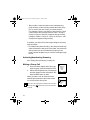
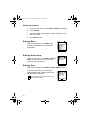
Changing Folder or Group
See Group Call section on page 32.
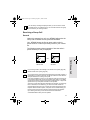
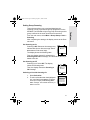
Entering or Exiting Emergency Mode
Upon entry into Emergency Mode any existing call or service
other than packet data service will be aborted or cleared
down.
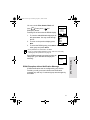
In Emergency Mode, the terminal will automatically reject
Phone, PABX and Private Calls, and will not monitor the
groups in the user selected scan list. If an ATG is the
selected group, however, the terminal will monitor the sub55
Emergency Operation
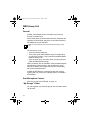
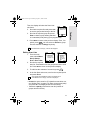
Hot Mic (Hot Microphone) allows you to talk without pressing
the PTT. Pressing PTT during Hot Mic ends Hot Mic
transmission. Pressing the End soft key ends Hot Mic
activity. If Hot Mic is disabled, then use PTT to talk.