1
2) Press and hold the DOWN switch
3) While holding down the DOWN switch press the UP Switch
and release both.
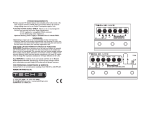
The display of the MIDI XChange should be flashing C01 and the
blue LED will be flashing as shown in the diagram below.
Using the UP and DOWN switches you may now select the MIDI
Channel you would like to use. For example, you would like to
select MIDI channel 12. Using the UP button scroll up to C12.
The display and the LED will continue to flash as shown below: