1
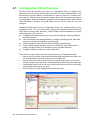
In this section, we will give you an overview of EKI-1521/1522/1524 hardware and
installation.
2.2.1 LED Indicators
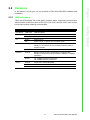
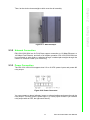
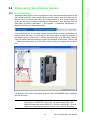
There are LEDs display the power status, network status, and serial communication
status located on the front panel of EKI-1521, EKI-1522, and EKI-1524, each of them
has its own specific meaning as below table.
LED Name
LED Color
LED Description
P1
Green
Power 1 is on.
Off
Power 1 is off, or power error condition exists.
Green
Power 2 is on.
Off
Power 2 is off, or power error condition exists.
Orange
Blinking: System is ready.
Steady on: The device server has been located by utility’s
location function.
Off
System is not working.
Orange
Blinking: Ethernet port is transmitting or receiving data.
Steady on: Ethernet has the good link for 10Mbps or 100Mbps
operations.
Green
On: 100Mbps Ethernet connection.
Off: 10Mbps Ethernet connection.
Orange
Serial port is transmitting data.
Green
Serial port is receiving data.
Off
No data is transmitted or received through the serial port.
P2
Status
Ethernet
Serial
11
EKI-1521/1522/1524 User Manual
Getting Started
Table 2.1: EKI-1521/1522/1524 LED Indicators
Chapter 2
2.2 Hardware