1
ENGLISH
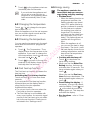
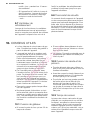
at any time and also when the appliance
is off.
1.
Touch
display.
.
and "00" flash in the
2.
3.
Use
or
to set the MINUTE
MINDER. First you set the seconds,
then the minutes and the hours.
4.
Touch
or the MINUTE MINDER
starts automatically after five seconds.
When the set time ends, an acoustic
signal sounds for two minutes and
00:00 and
flash in the display.
5.
6.
13
Touch a sensor field to stop the
acoustic signal.
7.6 Setting the Time delay
function
The DURATION
and END
functions
can be used at the same time, if the oven
is to be activated and deactivated automatically later. In this case, first set the
and then the END
DURATION
function (refer to "Setting the DURATION"
and "Setting the END ").
When the Time delay function is activated,
the display shows a static symbol of the
with a dot and
. The
oven function,
dot shows which clock function is on in
the Clock / residual heat display.
8. AUTOMATIC PROGRAMMES
WARNING!
Refer to the Safety chapters.
There are 9 automatic programmes and recipes. Use an automatic programme or recipe
when you do not have the knowledge or experience on how to
prepare a dish.
There are two types of automatic
programmes:
• Automatic recipes
• Automatic programmes with weight input
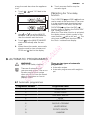
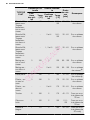
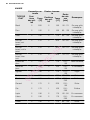
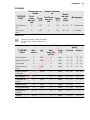
8.1 Automatic programmes
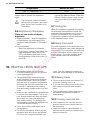
Programme number
Programme name
1
ROAST BEEF
2
ROAST PORK
3
CHICKEN, WHOLE
4
PIZZA
5
MUFFINS
6
QUICHE LORRAINE
7
WHITE BREAD
8
POTATO GRATIN
9
LASAGNE