1
46-8
46-10
Purpose
Purpose
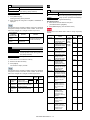
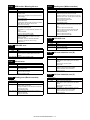
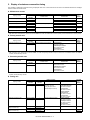
Adjustment (Color scanner mode)
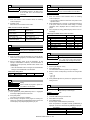
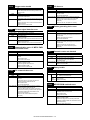
Function (Purpose) Used to adjust the image send mode color
balance RGB.
Adjustment
Function (Purpose) Used to adjust the copy color balance and
the gamma (for each color copy mode).
Section
Section
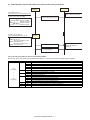
Operation/Procedure
Operation/Procedure
1)
1)
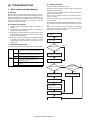
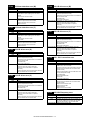
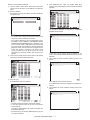
Select an adjustment target mode with the touch panel key.
2)
Select an adjustment target color with [K][C][M][Y] keys on the
touch panel.
3)
Select an adjustment target item with scroll key on the touch
panel.
4)
Enter the set value with 10-key.
Select an adjustment target with [R] [G] [B] keys on the touch
panel.
2)
Select an adjustment target item with scroll key on the touch
panel.
3)
Enter the set value with 10-key.
4)
Press [OK] key. (The set value is saved.)
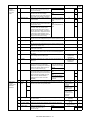
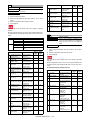
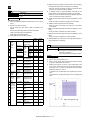
The color balance can be adjusted separately for the low density
area and the high density area.
When the adjustment value is increased, the image density of the
target color is increased, and vice versa.
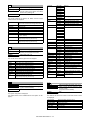
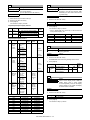
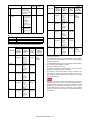
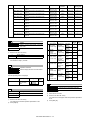
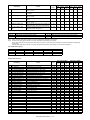
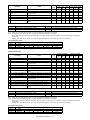
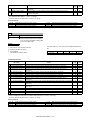
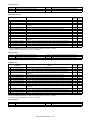
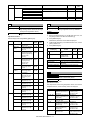
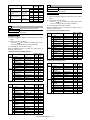
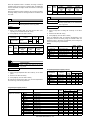
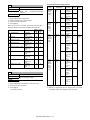
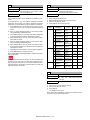
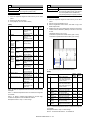
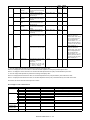
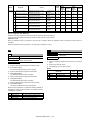
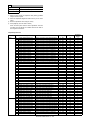
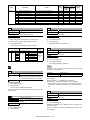
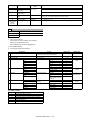
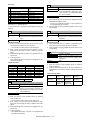
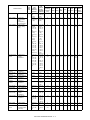
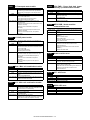
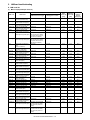
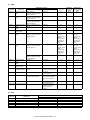
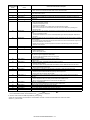
Item/Display
A
B
Content
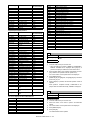
LOW DENSITY POINT
HIGH DENSITY POINT
Low density correction amount
High density correction amount
Default
value
50
50
46-9
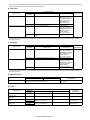
Adjustment (RSPF mode)
Purpose
* When the
key is pressed, the setting value of each
item can be changed with 1up (1down) collectively.
5)
TEXT
TEXT/PRT PHOTO
PRINTED PHOTO
PHOTO + TEXT/PHOTO
MAP
LIGHT
COPY ORG
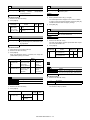
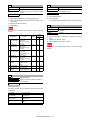
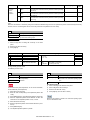
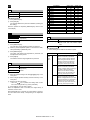
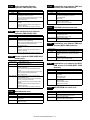
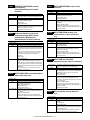
Function (Purpose) Used to adjust the scan image density.
Section
Operation/Procedure
1)
2)
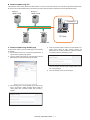
Select an adjustment target item with scroll key on the touch
panel.
Enter the set value with 10-key.
* When the
key is pressed, the setting value of each
item can be changed with 1up (1down) collectively.
3)
Press [OK] key. (The set value is saved.)
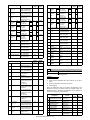
This adjustment result affects the image send mode, the copy
mode, and the fax mode.
When the adjustment value is increased, the image density is
increased, and vice versa.
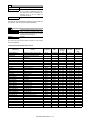
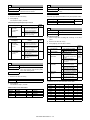
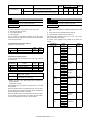
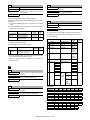
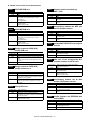
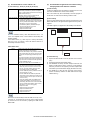
[RSPF]
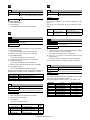
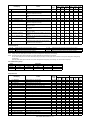
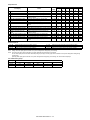
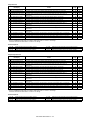
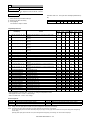
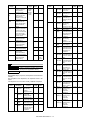
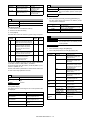
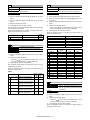
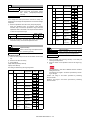
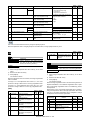
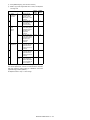
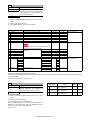
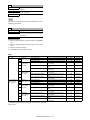
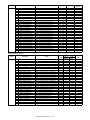
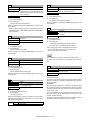
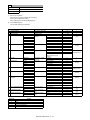
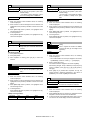
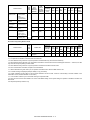
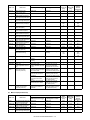
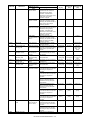
Item/Display
A
COPY : LOW
B
SCAN : LOW
C
FAX : LOW
D
COPY : HIGH
E
SCAN : HIGH
F
FAX : HIGH
Content
RSPF copy mode exposure
adjustment (Low density side)
RSPF scanner mode exposure
adjustment (Low density side)
RSPF FAX mode exposure
adjustment (Low density side)
RSPF copy mode exposure
adjustment (High density side)
RSPF scanner mode exposure
adjustment (Low density side)
RSPF FAX mode exposure
adjustment (high density)
Setting
range
1 - 99
Default
value
48
1 - 99
48
1 - 99
48
1 - 99
53
1 - 99
53
1 - 99
53
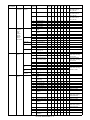
Press [OK] key. (The set value is saved.)
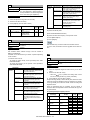
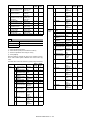
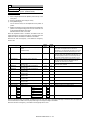
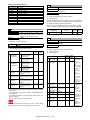
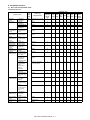
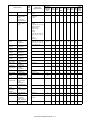
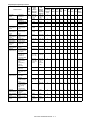
When the adjustment value is increased, the image density is
increased, and vice versa.
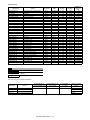
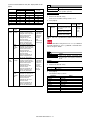
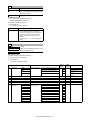
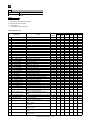
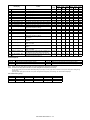
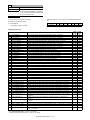
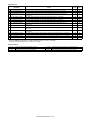
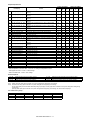
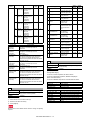
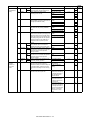
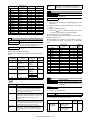
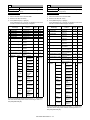
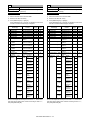
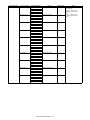
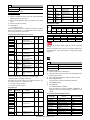
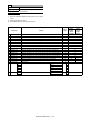
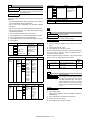
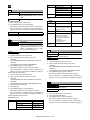
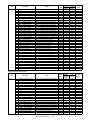
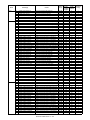
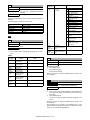
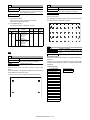
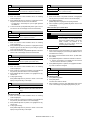
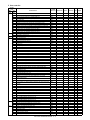
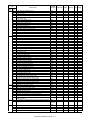
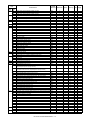
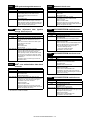
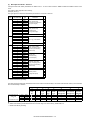
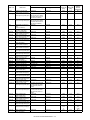
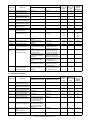
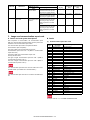
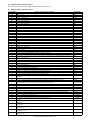
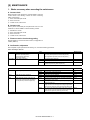
Item/Display
A
B
C
D
E
F
G
H
I
J
K
L
M
N
O
P
Q
POINT1
POINT2
POINT3
POINT4
POINT5
POINT6
POINT7
POINT8
POINT9
POINT10
POINT11
POINT12
POINT13
POINT14
POINT15
POINT16
POINT17
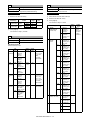
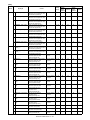
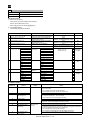
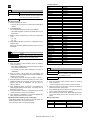
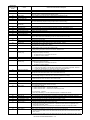
Text
Text/Printed Photo
Printed Photo
Photograph + Text/Printed Photo
Map
Light document
Copy document
Density level
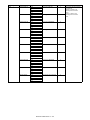
(Point)
Point 1
Point 2
Point 3
Point 4
Point 5
Point 6
Point 7
Point 8
Point 9
Point 10
Point 11
Point 12
Point 13
Point 14
Point 15
Point 16
Point 17
Setting range
Default value
1 - 999
1 - 999
1 - 999
1 - 999
1 - 999
1 - 999
1 - 999
1 - 999
1 - 999
1 - 999
1 - 999
1 - 999
1 - 999
1 - 999
1 - 999
1 - 999
1 - 999
500
500
500
500
500
500
500
500
500
500
500
500
500
500
500
500
500
46-16
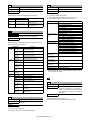
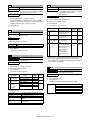
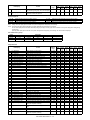
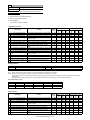
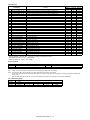
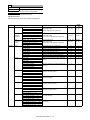
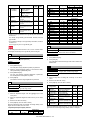
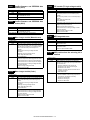
Purpose
Adjustment
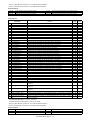
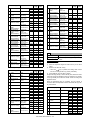
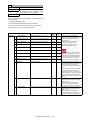
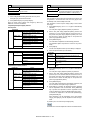
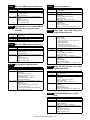
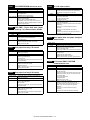
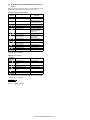
Function (Purpose) Used to adjust the monochrome copy density and the gamma (for each monochrome
copy mode).
Section
Operation/Procedure
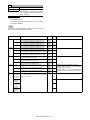
1)
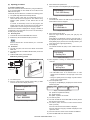
Select an adjustment target item with scroll key on the touch
panel.
2)
Enter the set value with 10-key.
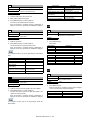
* When the
key is pressed, the setting value of each
item can be changed with 1up (1down) collectively.
3)
Press [OK] key. (The set value is saved.)
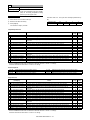
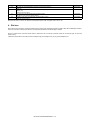
When the adjustment value is increased, the image density is
increased, and vice versa.
MX-3610N SIMULATION 5 – 87