1
4.5
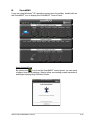
Advanced menu
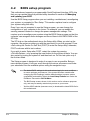
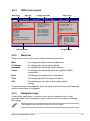
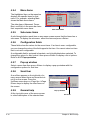
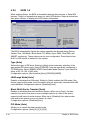
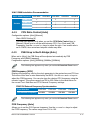
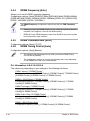
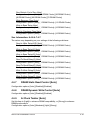
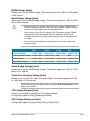
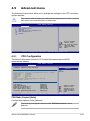
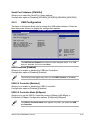
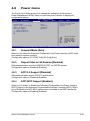
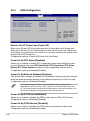
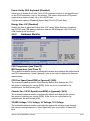
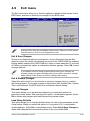
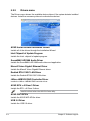
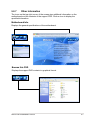
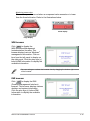
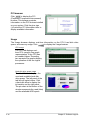
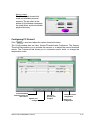
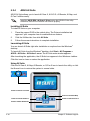
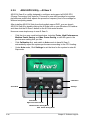
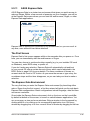
The Advanced menu items allow you to change the settings for the CPU and other
system devices.
Take caution when changing the settings of the Advanced menu items. Incorrect
field values can cause the system to malfunction.
Main
Ai Tweaker
BIOS SETUP UTILITY
Power
Boot
Tools
Exit
CPU Configuration
Chipset
Onboard Devices Configuration
USB Configuration
PCIPnP
Enter
F1
F10
ESC
Select Screen
Select Item
Go to Sub Screen
General Help
Save and Exit
Exit
v02.61 (C)Copyright 1985-2007, American Megatrends, Inc.
4.5.1
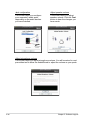
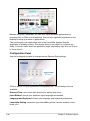
CPU Configuration
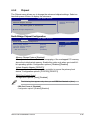
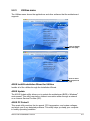
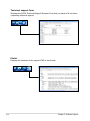
The items in this menu show the CPU-related information that the BIOS
automatically detects.
Advanced
BIOS SETUP UTILITY
Configure advanced CPU settings
Manufacturer: Intel
Brand String: Intel(R) Core(TM)2 Duo CPU @ 3.00GHz
Frequency
: 3.01GHz
FSB Speed
: 1333 MHz
Cache L1
: 64 KB
Cache L2
: 4096 KB
CPUID
: 6F9
Ratio Status: Unlocked (Max:09, Min:06)
Ratio Actual Value : 9
CPU Ratio Control
[Auto]
C1E Support
[Enabled]
CPU TM function
[Enabled]
Vanderpool Technology
[Enabled]
Execute Disable Bit
[Enabled]
Max CPUID Value Limit
[Disabled]
Intel(R) SpeedStep(TM) Tech.
[Enabled]
Options
Auto
Manual
+-
F1
F10
ESC
Select Screen
Select Item
Change Option
General Help
Save and Exit
Exit
v02.61 (C)Copyright 1985-2007, American Megatrends, Inc.
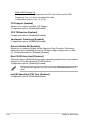
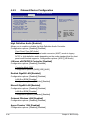
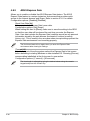
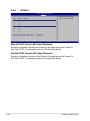
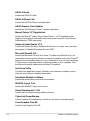
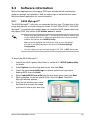
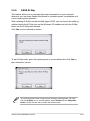
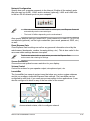
CPU Ratio Control [Auto]
Configuration options: [Auto] [Manual]
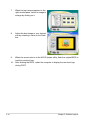
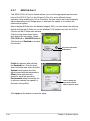
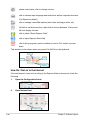
The following item appears when the item CPU Ratio Control is set to
[Manual].
ASUS P5E3 Deluxe/WiFi-AP@n
4-23