1
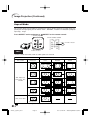
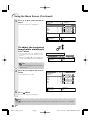
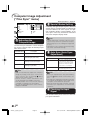
Computer Image Adjustment
(“Fine Sync” menu)
Menu operation = Page 41
Fine Sync
RGB
Clock
Phase
H-Pos
V-Pos
Reset
Special Modes
Auto Sync
0
0
0
0
1080I
On
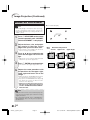
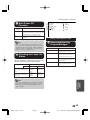
2 Special Modes Setting
Ordinarily, the type of input signal is detected
and the correct resolution mode is automatically
selected. However, for some signals, the optimal resolution mode in “Special Modes” in the
“Fine Sync” menu may need to be selected to
match the computer display mode.
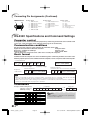
Cur. sig. freq : H 33.8 kHz / V 60 Hz
Note
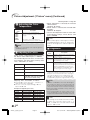
1 Adjusting the
Computer Image
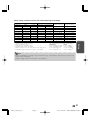
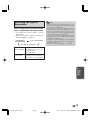
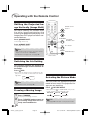
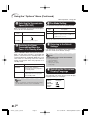
Use the Fine Sync function in case of irregularities such as vertical stripes or flickering in portions of the screen.
Selectable items
Description
Clock
Adjusts vertical noise.
Phase
Adjusts horizontal noise (similar
to tracking on your VCR).
H-Pos
Centers the on-screen image by
moving it to the left or right.
V-Pos
Centers the on-screen image by
moving it up or down.
• Avoid displaying computer patterns which
repeat every other line (horizontal stripes).
(Flickering may occur, making the image hard
to see.)
• Information on the currently selected input signal can be confirmed in item 4.
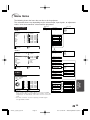
3 Auto Sync (Auto Sync
Adjustment)
Selectable items
Description
On
Auto Sync adjustment will
occur when the projector is
turned on or when the input
signals are switched, when
connected to a computer.
Off
Auto Sync adjustment is not
automatically performed.
Note
• You can automatically adjust the computer
image by setting “Auto Sync” in the “Fine
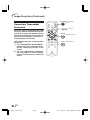
Sync” menu to “On” or pressing SYNC AUTO
SYNC on the remote control.
• “Clock”, “Phase”, “H-Pos” and “V-Pos” cannot be adjusted when HDMI is selected.
• The adjustable area of each item may be
changed according to the input signal.
• To reset all adjustment items, select “Reset”
and press iENTER.
Note
• Auto Sync adjustment is also performed by
pressing SYNC AUTO SYNC on the remote control.
• The Auto Sync adjustment may take some time
to complete, depending on the image of the
computer connected to the projector.
• When the optimum image cannot be achieved
with Auto Sync adjustment, use manual adjustments.
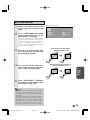
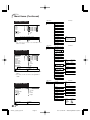
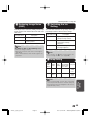
4 Checking the Input
Signal
This function allows you to check the current input signal information.
46
VP4001_U_EN_09_43-47
Page 46
06.7.19, 4:27 PM
Adobe PageMaker 6.5J/PPC