1
COMPUTER MODE
PC ADJUSTMENT
This Projector can automatically detect display signals from most personal computers currently distributed.
However, some computers employ special signal formats which are different from the standard ones and may
not be detected by this projector. If this happens, the projector cannot reproduce a proper image and the image
is recognized as a flickering picture, a non-synchronized picture, a non-centered picture or a skewed picture.
This projector has PC ADJUSTMENT function, to enable you to precisely adjust several parameters to match with the input
signal format. The projector has eight independent memory areas where you can store the parameter you have set. This
enables you to recall the setting for a specific computer whenever you need it.
1
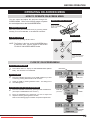
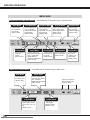
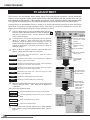
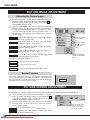
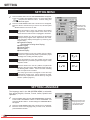
Press the MENU button and the ON-SCREEN MENU will appear.
Press the POINT LEFT/RIGHT buttons to select PC ADJUST
and press the SELECT button. Another dialog box "Where to
reserve" Menu will appear.
2
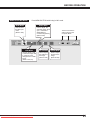
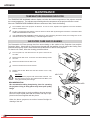
In this dialog box, you can store the parameter into the area from
"Mode 1" to "Mode 8." When memorizing the new computer
parameter, select the Mode with the message of "Free" by
pressing the POINT UP/DOWN buttons and SELECT button. To
change the parameters of the Mode previously set, select the
Mode with "Stored."
3
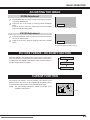
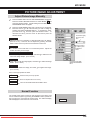
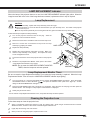
When the Mode is selected, Parameter adjustment dialog box
appears. Adjust each item to match your computer.
Total lines
The number of the total vertical lines. Adjust the number to
match your PC image.
Total dots
The number of the total dots in one horizontal period. Adjust the
number to match your PC image.
Horizontal
Adjustment of the horizontal picture position. When the image is
not centered on the screen, adjust this item.
Vertical
Adjustment of the vertical picture position. When the image is
not centered on the screen, adjust this item.
Clamp
Adjustment of the clamp level. When the image has a dark
bar(s), try this adjustment.
Height
Adjusting the vertical height of the picture image.
Width
Adjusting the horizontal width of the picture image.
4
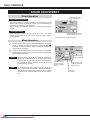
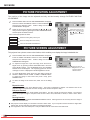
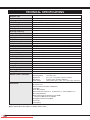
When the parameter data adjustments are set, select "Stored" and
press the SELECT button. "OK?" dialog box is displayed for
confirmation.
Each of the keys operates as follow.
Reset
Mode free
Stored
Quit
5
26
Recalls the parameter data that was previously adjusted.
Clears the parameter data previously set in the selected
Mode.
Stores the parameters in the memory.
Closes the PC ADJUST Menu.
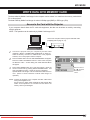
To select the Mode manually adjusted in PC ADJUSTMENT
Menu, select the mode at the SYSTEM SELECT Menu. (Refer to
page 25.)
Downloaded From projector-manual.com Boxlight Manuals
Stored
Stored
When the Mode is
selected, the dialog
box shown below
appears.
This Mode has
parameters already
stored.
The Vacant Mode.
Manual set Computer
Mode (1 to 8).
It closes the PC
ADJUSTMENT
Menu.
Move the arrow to
▲ or ▼ and press
SELECT button.
Press SELECT
button at this item
to adjust “Clamp,”
“Display area,”
“Horiz. scale,” or
“Vert. scale.”