1
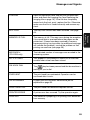
FILM END
Open the operation panel and the print compartment
cover and check the imaging film (see Replacing the
imaging film on page 10). If the film has completely
wound onto the front spool, replace the film. Otherwise,
make sure the film is loaded correctly and remove any
slack.
KEY LOCK
The Key Lock function has been activated. See page
43.
MEMORY IS FULL
The memory is full. This may occur during fax reception
if too much data is received before the pages can be
printed out. If faxes have been received to memory
because printing is not possible (an additional message
will indicate the problem), resolve the problem so that
printing can continue (see page 29).
MESSAGE #
(FO-A760 only)
The indicated number of messages are recorded in the
answering system.
NO # STORED
This appears if you attempt to search for an auto-dial
number when none have been stored.
ON HOOK DIAL
The
key has been pressed and the fax machine is
waiting for you to dial.
OVER HEAT
The print head has overheated. Operation can be
continued after it cools.
PAPER JAMMED
A paper jam has occurred. Remove the jam as
explained on page 59.
PRINT HEAD FAIL
The print head has failed and requires service.
PRINTER ERROR
A printer error has occurred. Try the operation again.
PRINTING
The machine is preparing to or printing out a document
from memory.
55
10. Troubleshooting
Messages and Signals