1
Using the Smart Picture and Sound features
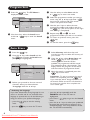
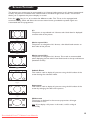
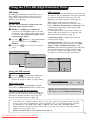
Smart Picture feature offers you a choice of 5
picture settings namely : Rich, Natural, Soft,
Multimedia and Personal.
Definition of Picture Settings
Rich
Press the
button repeatedly to cycle
through the settings to select your desired mode.
Natural
Natural
Rich
or
Soft
Soft
Multimedia
: Brilliant and sharp picture settings
suitable for bright environment and
for use in demonstrations to show
off the quality of the TV on good
sources.
: Reference mode for living room
conditions and average signals.
: Intended for bad-quality signals.
Suitable for living room viewing.
Multimedia : Best for graphical applications.
Personal
Personal
: Pictures settings are set to your
preference.
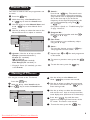
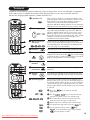
Smart Sound feature offers you a choice of 4
sound settings namely : Theatre, Music, Voice,
and Personal.
Definition of Sound Settings
Press the
button repeatedly to cycle
through the settings to select your desired mode.
Music
: Emphasize low tone (Bass boosted).
Voice
: Emphasize high tone (Treble boosted).
Music
Theatre
or
Voice
Personal
Theatre : Emphasize sensation to action (Bass
and Treble boosted).
Personal : Sound settings are set to your
preference.
NOTE : The Personal setting is the setting that
you set up using the Picture/Sound menu in the
main menu. This is the only setting in the Smart
Picture/Sound settings that can be changed. All
other settings are pre-set at the factory.
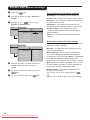
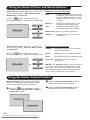
Using the Active Control feature
Active Control feature automatically adjusts
the picture setting for optimal picture quality
continuously under any signal conditions.
& Press the
key repeatedly to toggle
between Active Control Off and Active
Control On options.
Active Control Off
Active Control On
14
Downloaded From TV-Manual.com Manuals
é Select the Active Control On option to
activate the Active Control feature.
“ Select the Active Control Off option to
deactivate the Active Control feature.