1
About the 7156 Printer
7156 Owner’s Guide
Maintaining and Cleaning the Printer
There is no customer maintenance required for the 7156. However, you may
occasionally clean the cabinet as needed to remove dust and finger marks. Use
any household cleaner designed for plastics, but test it first on a small unseen
area. The cabinet materials and finish are durable and are resistant to the
following items:
•
Cleaning solutions
•
Lubricants
•
Fuels
•
Cooking oils
•
Ultraviolet light
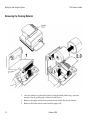
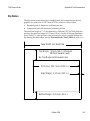
If the receipt paper bucket is dirty, wipe it with a clean, damp cloth.
Caution: Do not spray or try to clean the thermal printhead or the inside of the
printer with any kind of cleaner as this may damage the thermal printhead and
electronics.
If the thermal printhead appears dirty, wipe it with cotton swabs and rubbing
alcohol. If spotty or light printing problems persist after cleaning the thermal
printhead, see “Solving Problems” later in this book.
Note: The thermal printhead does not normally require cleaning if the
recommended paper grades are used. If non-recommended paper has been used
for an extended period of time, cleaning the printhead with cotton swabs and
rubbing alcohol will not be of much benefit. See “Ordering Thermal Receipt
Paper” earlier in this chapter for the recommended paper grades.
10
October 1995