1
RDM800 - Zone Setup Programming
Navigating to the 1st Zone Setup Screen
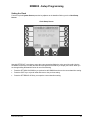
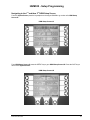
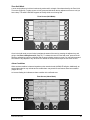
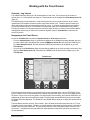
There are two ways to display Zone Setup Screen #1:
• From the System Screen (Page 31) press the key adjacent to the HGM300 unit associated with the zone
you wish to work with; press the ZONES key; and then press the key adjacent to the desired zone.
• From the top level Zone Screen (Page 44) press the key adjacent to the zone you wish to work with. To
select a different zone, use the UP/DOWN cursor keys or the NEXT key to scroll the screen display.
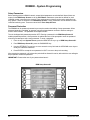
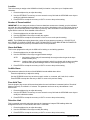
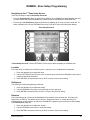
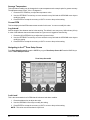
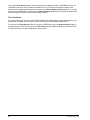
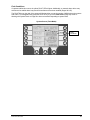
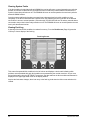
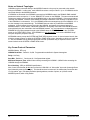
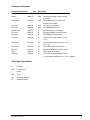
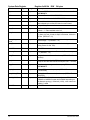
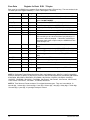
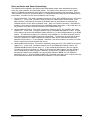
Zone Setup Screen #1
At Zone Setup Screen #1, use the LEFT/RIGHT cursor keys to switch the display to a different zone.
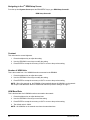
Location
This is the name you assign to the monitoring zone. It may have up to 12 alphanumeric characters.
1. Press the adjacent key to adjust the name.
2. Use the LEFT/RIGHT cursor keys to move across the entry field and the UP/DOWN cursor keys to
modify the individual characters.
3. Press ENTER to accept the new entry or QUIT to revert to the previous setting.
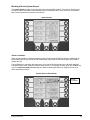
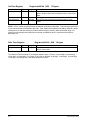
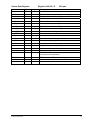
Refrigerant
This is the type of refrigerant gas being monitored.
1. Press the adjacent key to adjust the setting.
2. Use the UP/DOWN cursor keys to scroll through the list of gas types.
3. Press ENTER to accept the entry or QUIT to revert to the previous setting.
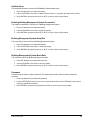
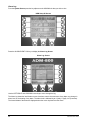
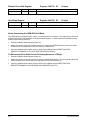
Distance
This is the tubing length in feet from the HGM300 to the termination of the air intake line. This value may
range from 0 to 500 feet. The default value is 100 feet. Setting this value to “0” causes the zone to be
bypassed during normal operation, and the word “DISABLED” to appear in place of the zone’s PPM reading
in the Zone Screen (Page 44).
1. Press the adjacent key to adjust the number.
2. Use the UP/DOWN cursor keys to modify the setting.
3. Press ENTER to accept the new entry or QUIT to revert to the previous setting.
Instruction 3015-4148
41