1
2.7
Tools menu
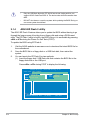
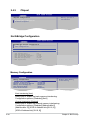
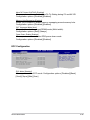
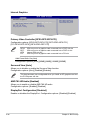
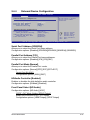
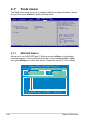
The Tools menu items allow you to configure options for special functions. Select
an item then press <Enter> to display the sub-menu.
Main
Advanced
BIOS SETUP UTILITY
Boot
Tools
Exit
Power
Press ENTER to run
the utility to select
and update BIOS.
This utility doesn't
support :
1.NTFS format
ASUS EZ Flash 2
Express Gate
Enter OS Timer
Reset User Data
[Enabled]
[10 Seconds]
[No]
AI NET2
Select Screen
Select Item
+- Change Field
Enter Go to Sub
Screen
F1 General Help
F10 Save and Exit
ESC Exit
v02.61 (C)Copyright 1985-2007, American Megatrends, Inc.
2.7.1
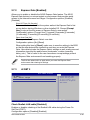
ASUS EZ Flash 2
Allows you to run ASUS EZ Flash 2. When you press <Enter>, a confirmation
message appears. Use the left/right arrow key to select between [Yes] or [No],
then press <Enter> to confirm your choice. Please see section 2.1.4 for details.
ASUSTek EZ Flash 2 BIOS ROM Utility V3.21
FLASH TYPE: MXIC 25L8005
Current ROM
BOARD: M3A78-EM
VER: 0204 (H:00 B:05)
DATE: 05/22/2008
PATH: A:\
Update ROM
BOARD: Unknown
VER: Unknown
DATE: Unknown
A:
Note
[Enter] Select or Load [Tab] Switch
[Up/Down/Home/End] Move
[B] Backup
[V] Drive Info
[ESC] Exit
2-38
Chapter 2: BIOS setup