1
Re:source
DVS-5 Module
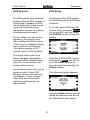
Overscan
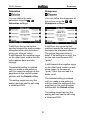
HDMI output Color Digital
The size of the image displayed
on the panel can be defined
Overscan
through the
softkeys.
You can define the output format
of the HDMI output through the
Digital softkeys.
Three output formats are available
to you:
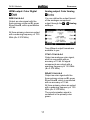
The range from 91% to 100% is
available.
YCbCr 10 bit 4:2:2
Output as color differential signal
with the luminance part Y and the
two color components Cr and Cb
with a quantisation of 10 bit. In
this case, the luminance signal is
output with a scanning frequency
of 13.5 MHz (4 x 3.375 MHz) and
the color signals are output each
with a scanning frequency of 6.25
MHZ (2 x 3.375 MHz)
A reduction of the displayed image
size is recommended if unclear
image seams are visible at the
upper or lower margins. This is
also known as “pixel cropping”. In
many cases, the cause of the
problem lies with DVDs that were
not mastered in full format.
YCrCb 8 bit 4:4:4
Output as color differential signal
with the luminance part Y and the
two color components Cr and Cb
with a quantisation of 8 bit. All
signal components are output with
a scanning frequency of 13.5 MHz
(4 x 3.375 MHz).
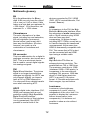
The selected setting is retained
until you make a new setting or
until you reset the settings on this
page back to the factory settings
with the Default softkey.
10