1
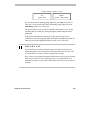
· Press Next to step forward through the commands. When the last
command in the buffer is reached, pressing Next loops to the first
command in buffer.
Note
If a repeat Pattern command has been issued, only the Pattern information is
stored in the buffer. Recalling the pattern using this method will only run
the Pattern one time.
Displaying Help Information
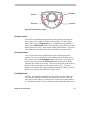
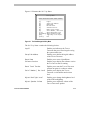
The Help button on the keypad accesses general help information about the
buttons on the TOUCH TRACKER. The system only displays Help
information if the active monitor has text overlay capability.
Accessing the User’s Menu
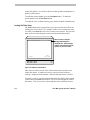
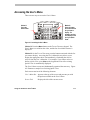
The on-screen User’s Menu operates in conjunction with the TOUCH
TRACKER and allows you to perform many of the same functions as the
TOUCH TRACKER. The advantage of the User’s Menu is that it displays lists
of all existing cameras, Quick Views, Patterns, Sequences, Zones, and
Activities. You can select items directly from these lists, eliminating your
need to memorize or keep hardcopy lists of numbers. In addition, the User’s
Menu enables you to define Quick Views and Patterns.
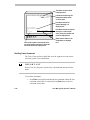
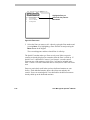
To display the User’s Menu, press the Menu button on the TOUCH TRACKER.
The User’s Menu and a list of the available cameras are overlaid on the
video. For a complete description of the User’s Menu and how it is used,
refer to Chapter 4, “Using the On-Screen User’s Menu.”
Using the TOUCH TRACKER
3-25