1
Control Operation
Overview of User Interface Elements
Overview
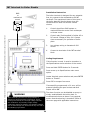
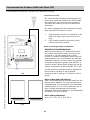
The Versatronik 300 user interface is comprised
of two elements, the screen display and the
function buttons.
KWE P/N 394031 Versatronik 300 Cascade Control V1.4 04/2014 Technical information subject to change without notice
Versatronik® 300
ST:
77c
SP:
30cR
1
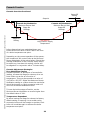
1. Screen displays information using two lines
with multiple characters.
2. Buttons are used to view information, perform
relay tests, change set points and perform
coding changes.
Esc
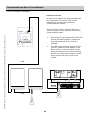
Buttons:
Esc, Arrow Up, Arrow Down and Enter
Navigation
Movement within the various
screens is accomplished with
the Arrow Up and Arrow Down
buttons.
2
Esc
The ENTER button is used to access
various menu options, adjust set points
and access coding level.
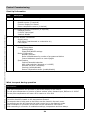
IMPORTANT
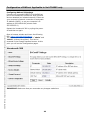
Screen Information
The system information that can be viewed at the
screen has been maximized to provide the
greatest amount of detail with the least number of
characters. On the SP (Set Point line) a letter is
shown beside the set point temperature. This
value is representative of where the set point is
coming from. The table below shows this.
Letter
Set Point
L
Low Limit
H
High Limit
R
Outdoor Reset
A
Auxiliary Input (Demand/0-10V)
N
Network (BACnet)
?
No calculation source (start up)
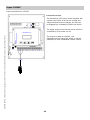
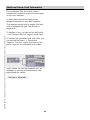
Coding Level Accessing
Press and hold the ENTER button for 5
seconds.
Esc
27
To exit from a selected screen or menu
press the ESC button. This button can
be pressed to return back to the ST
(supply temperature) screen.
To exit the coding level, press the ESC
button.