1
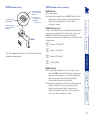
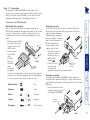
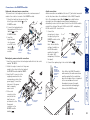
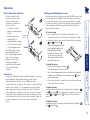
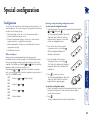
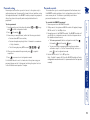
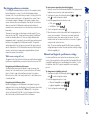
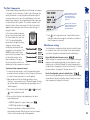
Hotkeys are two normal keyboard keys that, when pressed simultaneously with a third key, signal to the Gold Extender modules that you are sending a message specifically to them and not to the computer. The hotkeys are ordinarily and , while the third key determines what you want the modules to do. If the standard and hotkeys are also needed for computer tasks, you can change them for another combination using switches 2 and 3 on the REMOTE module: 2 OFF Hotkeys = and (default setting) 3 OFF 2 OFF 3 ON Hotkeys = and 2 ON 3 OFF Hotkeys = and 2 ON 3 ON Hotkeys disabled 2 Press the first letter of the required configuration option, for instance . All three keyboard indicators will illuminate continuously. 3 Press the number of the required configuration option, for instance . The ‘Scroll Lock’ indicator will extinguish, leaving the ‘Num Lock’ and ‘Caps Lock’ indicators lit. l rol ScLock ps CaLock m NuLock l rol ScLock ps CaLock m NuLock 4 Press to confirm your option. The three keyboard indicators (‘Num Lock’, ‘Caps Lock’ and ‘Scroll Lock’) will now begin to flash in sequence again. To exit from configuration mode: 1 Within configuration mode, the three keyboard indicators should be flashing in sequence to show that the module is ready to receive a new command. 2 Press . The three indicators will return to their normal states. What are hotkeys? To enter and use configuration mode: 1 Simultaneously press the currently configured hotkeys (by default, and ) along with . The three keyboard indicators (‘Num Lock’, ‘Caps Lock’ and ‘Scroll Lock’) will now begin to flash in sequence to show that you are in configuration mode. You can alter the way that the Gold Extender modules operate to suit your requirements. This is done using the Configuration mode and you can affect the following settings: • Password setting – allows you to lock the remote module to prevent unauthorised system access. • Mouse restoration and settings – allows you to restore mouse operation and also to change the mouse type. • Video compensation – allows you to manually adjust the video compensation settings. • Miscellaneous functions. Entering, using and exiting configuration mode Configuration Special configuration 10