1
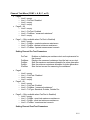
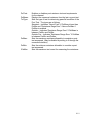
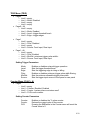
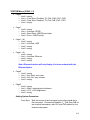
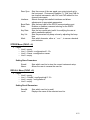
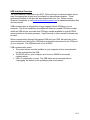
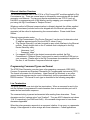
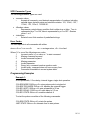
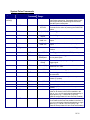
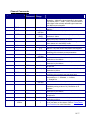
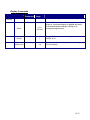
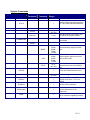
TRIG Menu (TRIG) Page0 o Line0 – empty o Line1 – Mode: Disabled o Line2 – empty o Line3 – empty Page0 – Alt o Line0 – empty o Line1 – Mode: Enabled o Line2 – Level: <trigger threshold level> o Line3 – Edge: <trigger edge> Page1 o Line0 – empty o Line1 – Filter: Disabled o Line2 – empty o Line3 – Source: Front Input, Rear Input Page1 - Alt o Line0 – empty o Line1 – Filter: Enabled o Line2 – MinWid: <minimum trigger pulse width> o Line3 – Source: Front Input, Rear Input Setting Trigger Parameters Mode: Level: Edge: Filter: MinWid: Source: Enables or disables external trigger operation. Sets the trigger threshold level. Sets the triggering edge to rising or falling. Enables or disables minimum trigger pulse width filtering. Sets the minimum allowable trigger pulse width. Sets the trigger input source to front panel or rear panel Counter Menu (FUNC + 8) Page0 o Line0 – empty o Line1 – Counter: Disabled, Enabled o Line2 – Counts: “system pulse count since reset” o Line3 – CLR to zero counter. Setting Counter Parameters Counter: Counts: CLR: Enables or disables the T0 pulse counter. Returns the current value of the counter. Pressing the CLR while in the Counter menu will reset the Counts value to 0. 8-20