1
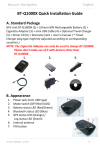
Beyond Navigation BT‐Q1000 Platinum Super 51‐CH GPS Travel Recorder™ ............................................................................................................................................................................................................................................. 5. Hardware Introduction 5‐1. Appearance 1. Power jack (mini USB type) 2. Mode switch (OFF/NAV/LOG) 3. Battery status LED (Red/Green) 4. Bluetooth status LED (Blue) 5. GPS status LED (Orange) / POI recording LED (Blue) 6. Internal antenna 7. POI button 5‐2. Hardware Function Hardware Function Description Take the power cable and connect it to the power Power Jack jack (mini USB type) for charging only Mode Switch (OFF) Power off BT‐Q1000P When switch to NAV mode, BT‐Q1000P only can be used to navigate with handheld devices (PDA / Mode Switch (NAV) Smartphone / Laptop…), and the data log function is disabled. When switch to LOG mode, BT‐Q1000P can be used Mode Switch (LOG) to record your travel path, and navigation function is still enabled. POI Button Push to log the favorite Point of Interest ……….…..……………………………………………………………………………………………………………………................. 4 www.Qstarz.com