1
yellobrik
®
yelloGUI
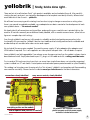
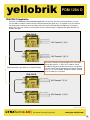
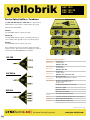
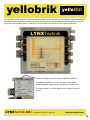
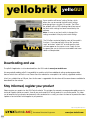
The signal flow screen (selected using the button at the bottom of the GUI) offers a useful graphics representation of the
video and/or audio signal flow through the module. Relevant controls are also placed in the signal paths so you can
see exactly what signal the setting is changing. The signal path only illuminates when signals are present.
Click on the model number to bring up additional selections.
The additional selections are used to undo or redo settings,
import and export stored settings, and perform a factory reset
The “about” option is useful to determine the module’s firmware
version.
LYNXTechnik AG |
®
Broadcast Television Equipment
www.lynx-technik.com
53