1
ENGLISH
9
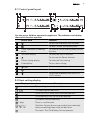
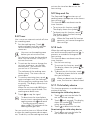
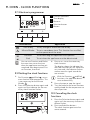
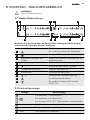
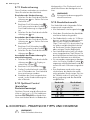
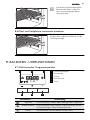
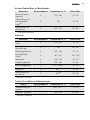
5.1 Control panel layout
1
2
10
3
4
9
8
5
7
6
Use the sensor fields to operate the appliance. The indicators and display
show which function operates.
Sensor field
Function
1
To activate and deactivate the hob.
2
To lock / unlock the control panel.
3
Timer indicators of cooking
zones
To show for which cooking zone you set
the time.
4
The timer display
To show the time in minutes.
To activate the Power function.
5
6
A heat setting display
To show the heat setting.
7
A control bar
To set a heat setting.
8
To increase or decrease the time.
/
9
To set a cooking zone.
10
To activate and deactivate the STOP
+GO function.
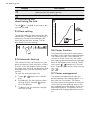
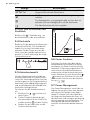
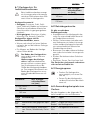
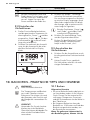
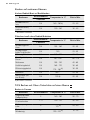
5.2 Heat setting display
Display
Description
The cooking zone is deactivated.
The cooking zone operates.
-
The STOP+GO / Keep warm function operates.
The Automatic Heat Up function operates.
The Power function operates.
+ digit
There is a malfunction.
/
OptiHeat Control (three-step residual heat indicator):
continue cooking/keep warm/residual heat.
/
The Lock / The Child Safety Device operates.