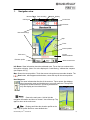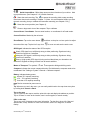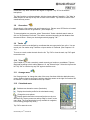
1
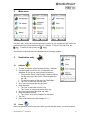
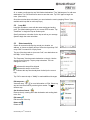
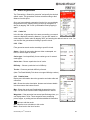
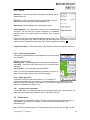
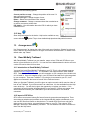
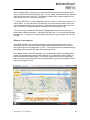
2. Main menu Use the < and > arrows to scroll through menu screens. As you navigate through menus, the red dots at the top indicate which screen you’re viewing. To return to the map view, tap . To cancel an active route, tap . The functions in the main menu are described in the following chapters. 3. Destination entry 3.1 Address 1. To enter an address, select Destination Entry > Address. 2. Use the keypad to enter the city. (Invalid letters will disappear as you type to prevent errant keystrokes.) To narrow the search, search within a state by tapping the flag at the top of the screen. Select the state and tap "OK." To view the location on the map, tap "Show Map." Tap "List" to select the city from a list. 3. Once you have entered the city, tap "Next." 4. Enter the street. Tap "List" to select the city from a list. Tap "Center" to route to the center of the city. 5. Once you have entered the street, tap "Next." 6. Enter the address number. Tap "Center" to route to a midpoint on the street. 7. Tap "OK." 8. Enter route preferences. (See Chapter 6.1.1.) 3.2 Home Easily navigate back home at any time. When you first start the device, you will be asked to Rand McNally Foris TM User Manual 11