1
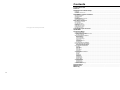
Contents
Product Overview...........................................................................................................................................4
Features............................................................................................................................................................4
Installation and Initial Setup .......................................................................................................................5
Unpacking .......................................................................................................................................................................................................................................................5
Installation ......................................................................................................................................................................................................................................................5
Connections and Power-On..........................................................................................................................................................................................................................5
Top and Front Panel Features ....................................................................................................................6
Power Button..................................................................................................................................................................................................................................................6
Input Channel Buttons ..................................................................................................................................................................................................................................6
Quad Mode Button .........................................................................................................................................................................................................................................6
DVI-I Button ....................................................................................................................................................................................................................................................6
User-Definable Function Buttons.................................................................................................................................................................................................................6
RotoMenu™ Knob..........................................................................................................................................................................................................................................6
Image Adjustment Knobs..............................................................................................................................................................................................................................6
Rear Panel Features ......................................................................................................................................7
This page intentionally left blank
RS-422/485 Serial Interface ...........................................................................................................................................................................................................................7
PG-1 Connector..............................................................................................................................................................................................................................................7
Tally Interface (HD-15) ...................................................................................................................................................................................................................................7
HD-SDI Input and Output...............................................................................................................................................................................................................................7
Power Input.....................................................................................................................................................................................................................................................7
VESA 75mm Hole Pattern..............................................................................................................................................................................................................................7
Desktop Mounting Holes...............................................................................................................................................................................................................................7
DVI-I Input Connector ...................................................................................................................................................................................................................................7
Compatible Input Formats ...........................................................................................................................8
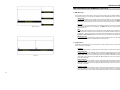
Quad Mode.......................................................................................................................................................9
On-Screen Menu...........................................................................................................................................11
STRUCTURE OVERVIEW ............................................................................................................................................................................................................................11
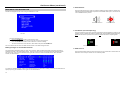
MAIN MENU AND NAVIGATION..................................................................................................................................................................................................................12
Making Changes to an Individual Channel .........................................................................................................................................................................................12
Group Link Changes .............................................................................................................................................................................................................................13
VIDEO CONFIGURATION SUBMENU .........................................................................................................................................................................................................14
Monochrome Mode ................................................................................................................................................................................................................................14
Blue-Only Mode......................................................................................................................................................................................................................................15
Pixel-to-Pixel Mode ................................................................................................................................................................................................................................15
Aspect Ratio Settings............................................................................................................................................................................................................................15
Curtain Color ..........................................................................................................................................................................................................................................16
Ctemp/Gamma........................................................................................................................................................................................................................................16
Framelock Preference ...........................................................................................................................................................................................................................16
Analog Phase .........................................................................................................................................................................................................................................16
COLOR CONFIGURATION SUBMENU .......................................................................................................................................................................................................17
SYSTEM CONFIGURATION SUBMENU .....................................................................................................................................................................................................17
User-Definable Function Buttons ........................................................................................................................................................................................................17
Saving and Loading User Presets .......................................................................................................................................................................................................18
OSD CONFIGURATION SUBMENU ............................................................................................................................................................................................................18
IMD State.................................................................................................................................................................................................................................................18
Status Display ........................................................................................................................................................................................................................................19
Time Code...............................................................................................................................................................................................................................................19
OSD Tally ................................................................................................................................................................................................................................................20
Audio Monitor.........................................................................................................................................................................................................................................21
CC Monitor..............................................................................................................................................................................................................................................21
OSD Timeout ..........................................................................................................................................................................................................................................21
IMD CONFIGURATION SUBMENU..............................................................................................................................................................................................................22
Overview .................................................................................................................................................................................................................................................22
IMD ID# ....................................................................................................................................................................................................................................................22
IMD Group #............................................................................................................................................................................................................................................22
IMD Protocol...........................................................................................................................................................................................................................................23
Tally Source............................................................................................................................................................................................................................................23
IMD Baud Rate........................................................................................................................................................................................................................................24
IMD Name (S/N) ......................................................................................................................................................................................................................................24
IMD Tally Mode.......................................................................................................................................................................................................................................24
IMD FIXED SUBMENU..................................................................................................................................................................................................................................25
IMD Fixed Color......................................................................................................................................................................................................................................25
IMD Fixed Align ......................................................................................................................................................................................................................................25
IMD Fixed String.....................................................................................................................................................................................................................................25
SERVICE SUBMENU ....................................................................................................................................................................................................................................26
Software Version Display......................................................................................................................................................................................................................26
Specifications ...............................................................................................................................................27
Maintenance ..................................................................................................................................................28
Warranty .........................................................................................................................................................28
30
3