1
left page (86) of SP65 FUG en, A31008-H7450-A1-1-7619 (03.03.2005, 11:41)
Setup
Bluetooth® (BT)
Bluetooth is a short-range radio connection by means of which a headset
or car kit, for example, can be connected without the need for wires.
Using the Send/print function in the
options menu for the application
concerned you can also use this
route to send data.
With SAP (SIM Access Profile) a car
phone GSM module can, for example, use the access data from the SIM
card on your phone. There is no need
to swap the SIM card. It is possible
that SAP might not be supported by
your service provider.
Each Bluetooth device has its own
specific address and can be given a
self-explanatory name as an option.
Password protection ensures the
security of a Bluetooth connection,
as does including the BT partner in a
list as a “confidential” device.
To establish a Bluetooth connection
between your phone and other
Bluetooth devices you must activate
Bluetooth.
The Bluetooth® word mark and logos are
owned by Bluetooth SIG, Inc and any use
of such marks is under licence.
Other trademarks and trade names are
those of their respective owners.
C
Activate/deactivate
Bluetooth.
My BT name: You can give
the phone a name when
you activate Bluetooth for
the first time.
If Bluetooth is activated, IrDA
(infrared) is not active and vice
versa.
If Bluetooth is activated, standby
time for the phone will be reduced.
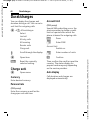
Bluetooth setup
Call up the setting functions (Bluetooth must be
activated).
C
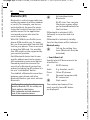
• Search/Search all
Specify which BT devices are to be
searched for:
All
All BT devices
Audio
E.g. headset, car kit
Phone
Other BT phones
PC
Personal computer with
BT connection
C
Start search
The number and name of the
most recently found BT device
are displayed.
Siemens AG 2003, L:\Mobil\R65\SP65\en\FUG\von_itl\SP65_Connectivity.fm
VAR Language: en; VAR issue date: 041104
86