1
3
Using the Metavox
Depth
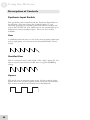
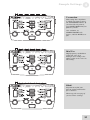
The [DEPTH] knob controls how much pitch modulation
(vibrato) of the above LFO waves and patterns will be applied to
the internal waveform oscillator’s SAW, RECTIFIED SAW, or
SQUARE waves.
Depth = Mod Wheel
Think of the [DEPTH]
control as being like the Mod
Wheel on a synthesizer,
applying an LFO to the pitch
of the internal oscillator,
giving it more or less vibrato.
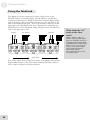
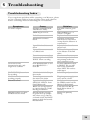
The [RATE] controls the
speed of the LFO, and the
[MODULATION] switch
determines the waveform of
the LFO.
Rate
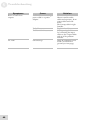
The [RATE] knob changes the speed of the pitch modulation of
the internal waveform synthesizer only. In normal modulation
modes (TEMPO SYNC LED off), turning the [RATE] knob alters
the rate continuously from very slow to very fast. Turn the knob
clockwise for a faster vibrato effect, counter-clockwise for a slow
pitch change.
Rate knob operation in TEMPO SYNC mode
When the Metavox is in TEMPO SYNC mode, the fundamental
modulation speed is set by the TAP TEMPO function, and the
rate knob can be used to adjust that rate to an even fraction or
multiple of the current tempo:
• With the knob indicator in the 12 o’clock position, the mod
rate will be the same as tempo (i.e, quarter note).
• Turn the knob to the left to set the mod rate at a half of the
tempo (i.e., one cycle per half note), then a quarter of the
tempo (once per measure).
• Turn the knob to the right to set the modulation to twice the
tempo (eighth notes), or four times the tempo (sixteenth
notes).
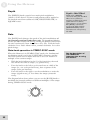
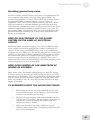
The diagram below shows where you can set the [RATE] knob to
modulate the internal oscillator at different multiples of the tempo
during TEMPO SYNC mode.
32
See the description of
TAP TEMPO for
important tips on using
this feature.