1
Rider Detection
how the Segway HT works
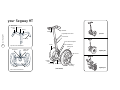
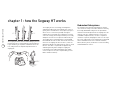
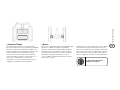
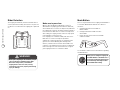
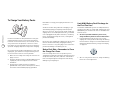
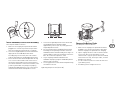
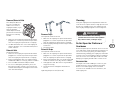
The Segway HT Platform contains four Rider Detect
sensors (beneath the Mat), which detect the presence
or absence of a rider while the Segway HT is powered
on.
18
Mode Button
Make sure to press four
When a rider (weighing 100 lb./45 kg. or more) is
aboard with feet properly positioned on the Platform,
all four Rider Detect sensors are depressed, and allow
the Segway HT to operate normally in Balance Mode. If
fewer than three Rider Detect sensors are depressed
while riding, the Segway HT will reduce the top speed
limit regardless of the Key used.
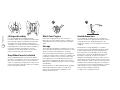
If the Segway HT is in Balance Mode, but none of the
Rider Detect sensors are depressed, and the
Segway HT is moved too quickly, the Segway HT will
give the Stick Shake Warning after moving some
distance, and will switch to Power Assist Mode. This
response is intended to prevent a riderless Segway HT
from traveling on its own. You should never let go of
your Segway HT while it is in Balance Mode.
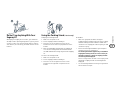
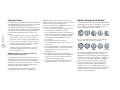
There is only one button on the Segway HT Handlebar. It
is called the Mode Button and has three distinct
functions:
1. Change from Power Assist Mode to
Balance Mode.
2. Change from Balance Mode to Power
Assist Mode.
3. Power off from either Power Assist Mode
or Balance Mode.
Mode Button
See the Riders’ Guide for more information regarding
the Mode Button.
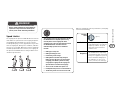
WARNING!
Never place anything on the Platform, except
your feet. Doing so could defeat the Rider
Detection safety feature, and allow the
Segway HT to travel on its own, risking
running into a person or property and causing
injury or damage.
When you are riding the Segway HT,
the Mode Button is disabled. This is
to prevent accidentally powering off
or accidentally switching to Power
Assist Mode while riding.