1
Using the Flash
• When in NIGHTSCAPE of Scene Mode,
Forced Flash cannot be selected. Also, the
initial setting value is Auto.
If you press the F (Flash) button, you can
switch into Flash Mode (Flash, Flash Off, and
other settings). Switch settings according to
time, conditions and your preference, and
shoot your pictures.
3
• If you press the flash button, even while
the flash is charging, you can return to
Flash Off mode. If you do this, flash charging is cancelled.
• If the flash is switched to off, the AF auxiliary lamp to improve focusing in a dark
place does not flash.
From the front edge of the lens, flashlight
reaches about 0.2 to 3.0 m (W) or about 0.14
to 2.5 m (T) when ISO sensitivity is set to
AUTO.
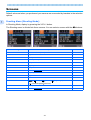
To switch to Flash Mode, follow the steps
below.
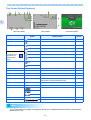
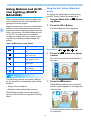
You can check your Flash Mode setting by
the symbol displayed on the upper left of the
LCD Monitor.
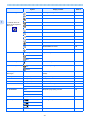
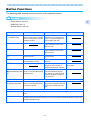
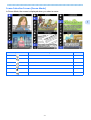
Flash Mode Types
Symbol
Mode Name
1.
Alternatively, turn the Mode Dial to
4 (Scene Mode), and select a
scene to have the camera ready.
Description
Flash Off
The flash will not fire. Use when
shooting where the use of flash is
prohibited or when shooting with
indoor lighting.
Auto
When your subject is poorly lit or
backlit, the flash fires automatically.
Red-eye
reduction
When shooting images of people,
the red-eye phenomenon, in which
people's eyes appear red, is
reduced.
Forced Flash
The flash fires, whatever the light
conditions are, when you shoot.
Use when there is backlighting
when shooting outside in daylight.
Slow Synchro
The flash fires with the shutter
speed slowed.
Use when shooting images of people against a nightscape.
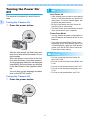
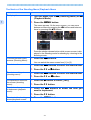
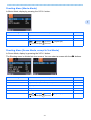
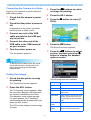
Turn the Mode Dial to 5 (Shooting Mode).
2.
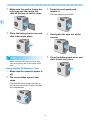
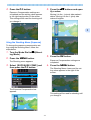
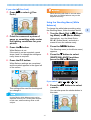
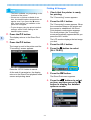
Pressing the F (Flash) button
switches to Flash Mode.
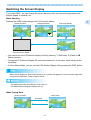
The Flash mode mark appears momentarily in a large size at the center of the
LCD monitor and then is displayed at the
upper left.
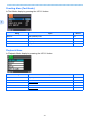
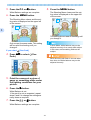
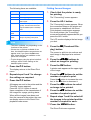
The flash starts recharging. While the
flash is charging, the LCD Monitor goes
off and the flash lamp blinks. Once
charging is complete, the lamp goes off
and it is possible to shoot.
• By default, your camera is set to Flash Off.
• The settings are saved until you press the
F (Flash) button to change them.
• When shooting movies or in Multi-Shot
mode, the setting becomes Flash Off.
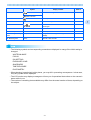
Slow Synchronized
When you shoot pictures in dark places and
want to capture background as well, use this
mode, which slows shutter speed and sets
the flash to Flash Off.
• When the camera is set to Flash Off or
Slow Synchro Mode, the shutter speed is
slowed, so the camera is subject to camera shake. Hold the camera firmly with
both hands and shoot.
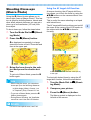
Red-Eye
• When in LANDSCAPE of Scene Mode, the
flash setting is fixed to Flash Off.
If you shoot with the F (flash) in a dark place,
people's eyes will appear red. This is called
the "red-eye" phenomenon.
50