1
PCX 256 PROGRAMMING MANUAL
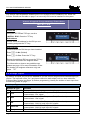
5.13 Volume Control
The Volume Control function applies to the loudspeaker output only. Volume levels at the keypad
are programmed individually – please see page: 9.
5.13.1 Volume Settings
Note: 0=Completely Silent, 1=Silent,but sounds a beep when the system is set
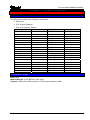
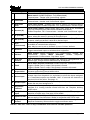
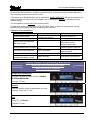
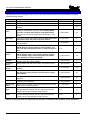
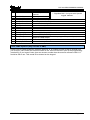
The defaults for the volumes of the PCX are as follows:
Entry:
Exit
Alarm
Fire
4
4
7
7
Tamper
Disarmed
Chime
Intelligent Arm
6
6
3
3
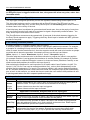
5.13.2 Code Stops Sound
If this function is enabled (Default), then once an alarm has been generated (even if the code is not
programmed for that partition) the alarm will be silenced, and a ‘Misoperation (Abort) signal’ will be
sent, but the partition will still be armed until a valid user that controls that partition is entered.
5.13.3 E / E Keypads Only
If there is a speaker connected to the SPK output of the PCX system the entry and exit tones will
be heard through the speaker. If you would like Entry and Exit tones to be heard on only the
keypad and not the speaker then enable this function. (At default this is disabled)
5.13.4 Alert Kps Only
If this function is enabled then any Alert tones will be heard on the Keypad only and not the
speaker. (At default this is enabled).
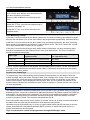
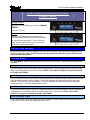
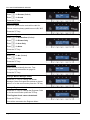
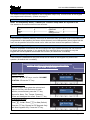
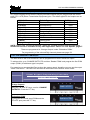
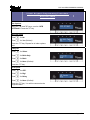
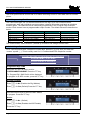
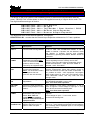
Visual Keypad Programming Procedure
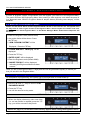
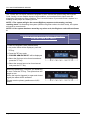
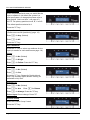
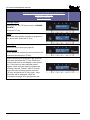
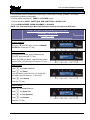
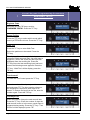
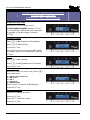
VOLUME CONTROL
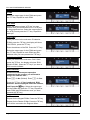
Volume Control
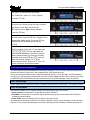
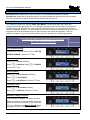
Using the and keys, scroll to ‘VOLUME
CONTROL? Press the key
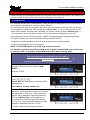
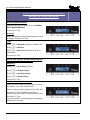
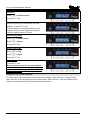
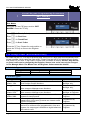
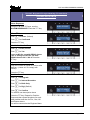
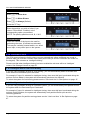
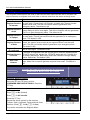
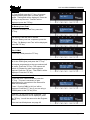
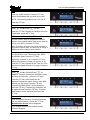
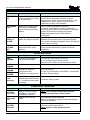
Partition Volume
Use the numeric keys select the volume level
required for Entry and Exit tones for each
partition, once selected, press the key.
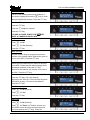
Repeat for Alarm, Fire, Tamper, Disarmed,
Chime and Intelligent Arm tones. Press key
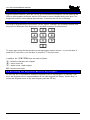
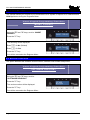
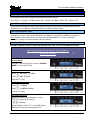
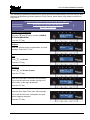
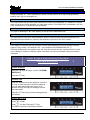
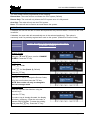
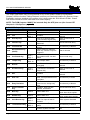
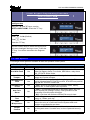
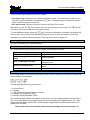
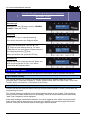
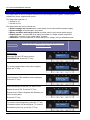
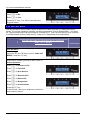
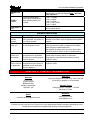
Code Stops Sound
Enter : for No / Enter : for Yes (Default)
Press the key. Repeat for E/E Keypads Only
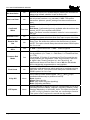
and Alert Keypads Only. Press the key.
RINS868-6
Page: 35