1
Other Useful Information
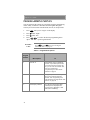
Understanding Status Messages
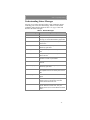
You may receive status messages under certain conditions. Before
contacting your carrier, note the message, numeric code, and the
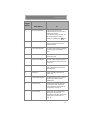
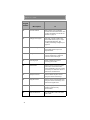
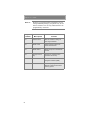
conditions under which it appeared. Table 7 on page 75 lists and
describes the status messages.
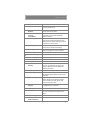
Table 7: Status Messages
Status Messages
Message Description
Number Not in Service
The number that you entered is not valid.
User Not Available
The phone that you called is either busy, outof-range, or turned OFF. Please try again later.
User Not Authorized
The party that you called has not purchased
this service.
Please Try Later
This service is temporarily not available.
Please try again later.
User Busy in Private
The phone that you called is busy in a Private
call.
User Busy in Data
The phone that you called is busy with Nextel
Online Service.
Service Restricted
This service was restricted by your service
provider or it was not purchased.
Service Not Available
This feature is not available on the current
network.
System Busy Try Later
The system is experiencing heavy traffic.
Please try again later.
Service Conflict
This service cannot be enabled because an
incompatible service has already been turned
ON.
Please Try Again
An error occurred. Note the error code and try
again.
Self Check Error
A fault was detected with your Nextel phone. If
this error recurs, note the error code and
contact Nextel Customer Care.
Self Check Fail
An operational fault was detected with your
phone. Note the numeric code, turn your
Nextel phone off, and contact Nextel Customer
Care.
75