1
Panel Display
Console Configuration
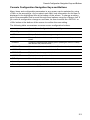
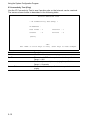
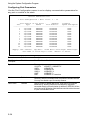
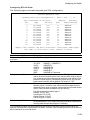
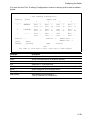
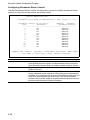
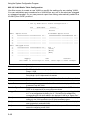
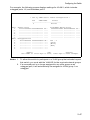
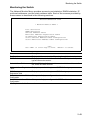
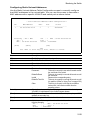
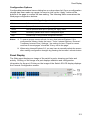
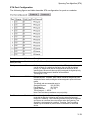
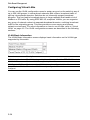
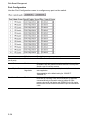
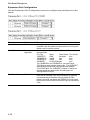
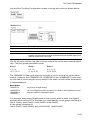
If you are having difficulties making an out-of-band console connection to the serial
port on the agent module, you can display or modify the current settings for the
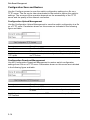
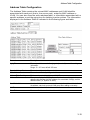
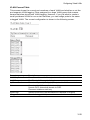
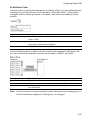
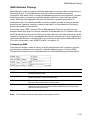
serial port through the Web agent. Click on the serial port icon in the switch image to
display or configure these settings, as shown below.
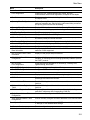
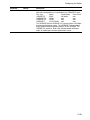
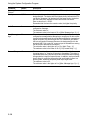
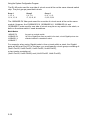
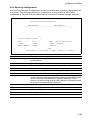
Parameter
Default
Baud rate
9600 bps
Description
The rate at which data is sent between devices.
Options : 2400, 4800, 9600, 19200, and auto detection.
Note that when AUTO is selected, you need to first press the Enter
key once to set the data rate and initialize the connection.
Time-Out
10 minutes
If no input is received from the attached device after this interval, the
current session is automatically closed.
Data bits
8 bits
Sets the data bits of the RS-232 port.
Stop bits
1 bit
Range : 0 - 100 minutes; 0: disabled
Options : 7, 8
Sets the stop bits of the RS-232 port.
Options : 1, 2
Parity
none
Sets the parity of the RS-232 port.
Options : none/odd/even
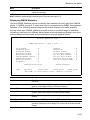
Auto-Refresh Time 5 seconds
Sets the interval before a console session will auto refresh the
console information, such as Spanning Tree Information, Port
Configuration, Port Statistics, and RMON Statistics.
Range : 5-255 seconds; 0: disabled
3-5