1
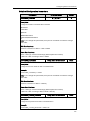
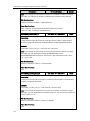
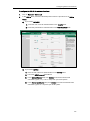
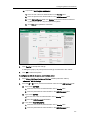
Resource Files The dial-now template helps with the creation of multiple dial-now rules. After setup, place the dial-now file to the provisioning server and specify the access URL of the file in the configuration files. When editing a dial-now template, learn the following: <DialNow> indicates the start of a template and </DialNow> indicates the end of a template. Create dial-now rules between <DialNow> and </DialNow>. At most 100 dial-now rules can be added to the IP phone. The expression syntax in the dial-now rule template is the same as that introduced in the section Dial Plan on page 81. Procedure Use the following procedures to customize a dial-now template. To customize a dial-now template: 1. Open the template file using an ASCII editor. 2. Add the following string to the template, each starting on a separate line: <Data DialNowRule=""/> Where: DialNowRule="" specifies the dial-now rule. 3. Specify the values within double quotes. 4. Save the change and place this file to the provisioning server. The following shows an example of a dial-now template: <DialNow> <Data DialNowRule="1234"/> <Data DialNowRule="52[0-6]"/> <Data DialNowRule="xxxxxx"/> </DialNow> 325