1
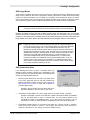
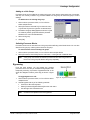
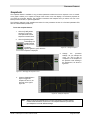
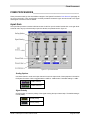
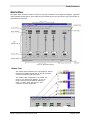
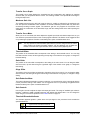
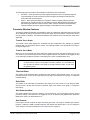
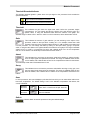
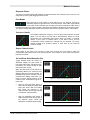
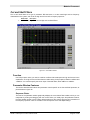
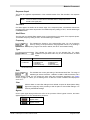
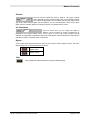
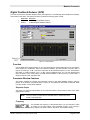
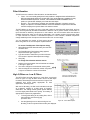
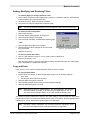
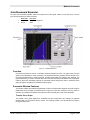
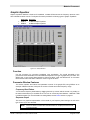
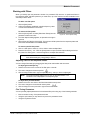
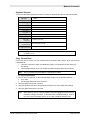
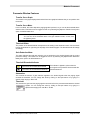
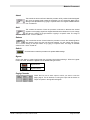
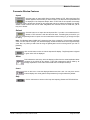
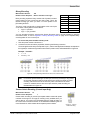
Modular Processors Transfer Curve Meter When you are in Live Mode, this meter depicts the signal's input level and relative output level, so you can monitor the processor's effect on the current program material. This feature can be toggled off and on by selecting the [Options>Transfer Curve Meter] menu option. Its default status is on. Note: You may experience reduced software performance if you have a large number of meters active in the System Processor software. You can selectively turn off either the transfer curve meter or the gain reduction meter, or both, from the [Options] menu. Threshold Slider The position of the threshold slider corresponds to the setting in the threshold control. You can drag this slider with the mouse, left and right along the top edge of the transfer curve graph, to change the threshold setting. Ratio Slider The position of the ratio slider corresponds to the setting in the ratio control. To change the ratio setting, drag this slider left or right along the bottom edge of the transfer curve graph, using the mouse. Gain Reduction Meter This meter indicates the total gain increase or reduction you are achieving on the input signal with the current processor settings. This feature can be toggled off and on by selecting the [Options>Gain Reduction Meter] menu option. Its default status is on. Gain Controls Use the gain controls to adjust the input and output gain levels. The range of available gain values is between –12dB and +12dB in 0.5dB increments, with 0dB as the default value. You can change the value using the conventions explained in the Faders section on page 31. Threshold Exceeded Indicator Signal level has exceeded the threshold Signal level has not reached the threshold This indicator appears lighted in yellow when the input signal to the processor block exceeds the specified threshold. Threshold This indicates the level below which the input signal gain must fall before the processor reduces it. You can change the value by clicking on the spin buttons, typing in a specific value, or using the threshold slider at the top edge of the transfer curve graph. The available range of values is from –80.0VU to 0VU in 0.5VU increments, with a default value of –65.0VU for the gate and –40.0VU for the downward expander. Ratio This indicates the amount of gain reduction at the processor output, relative to the input level. A ratio of 4:1, for example, means a 1dB decrease in program level results in a 4dB decrease in processor output level. You can change the value by clicking on the spin buttons, typing in a specific value, or using the ratio slider on the bottom edge of the transfer curve graph. The range of available values is from 1:1 to INF:1, in increments of 1/10th, with a default value of INF:1 for the gate and 4:1 for the downward expander. SHURE P4800 System Processor Software Guide Page 62 of 108