1
HOW TO USE AN ONBOARD WORKOUT
and/or incline setting will appear in the displays for
a few seconds and the treadmill will automatically
adjust to the new speed and/or incline setting.
1. Insert the key into the console.
See HOW TO TURN ON THE POWER on page 16.
The workout will continue in this way until the last
segment of the profile flashes in the display and the
last segment ends. The walking belt will then slow
to a stop. Note: If you select a distance workout,
the workout will end with a three-minute cool-down
segment.
2. Select an onboard workout.
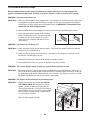
To select an onboard workout, press the Calorie
button, the Timed button, or the Distance button repeatedly until the desired workout appears in the
display.
Note: The calorie goal is an estimate of the
number of calories that you will burn during the
workout. The actual number of calories that you
burn will depend on your weight. In addition, if
you manually change the speed or incline of
the treadmill during the workout, the number of
calories you burn will be affected.
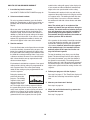
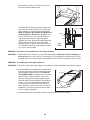
When you select an onboard workout, the displays
will show the maximum incline, the duration, the
maximum speed, and the name of the workout. In
addition, a profile of the speed settings of the workout will appear in the matrix. If you select a calorie
workout, the approximate number of calories you
will burn will appear in the name of the workout.
If the speed or incline setting is too high or too low
at any time during the workout, you can manually
override the setting by pressing the speed or incline buttons; however, when the next segment
of the workout begins, the treadmill will automatically adjust to the speed and incline settings for the next segment.
3. Start the workout.
Press the Start button or the Speed increase button
to start the workout. A moment after you press the
button, the treadmill will automatically adjust to the
first speed and incline settings of the workout. Hold
the handrails and begin walking. Note: If you select
a distance workout, the exercise session will begin
with a three-minute warm-up segment before the
distance workout begins.
Each workout is divided into segments. One speed
setting and one incline setting are programmed for
each segment. Note: The same speed setting
and/or incline setting may be programmed for consecutive segments.
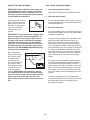
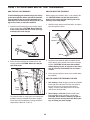
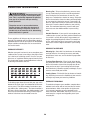
During the workout, the
Current Segment
profile will show your
progress. The flashing
segment of the profile
represents the current
segment of the workout. The height of the flashing segment indicates
the speed setting for the current segment. At the
end of each segment, a series of tones will sound
and the next segment of the profile will begin to
flash. If a new speed and/or incline setting is programmed for the next segment, the new speed
To stop the workout at any time, press the Stop
button. The time will begin to flash in the display.
To resume the workout, press the Start button or
the Speed increase button. The walking belt will
begin to move at 1 mph. When the next segment of
the workout begins, the treadmill will automatically
adjust to the speed and incline settings for the next
segment.
4. Follow your progress with the displays.
See step 5 on page 17. The Time/Pulse display will
show the time remaining instead of the elapsed
time.
5. Measure your heart rate if desired.
See step 6 on page 18.
6. When you are finished exercising, remove the
key from the console.
See step 7 on page 18.
19