1
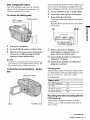
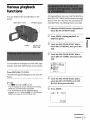
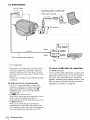
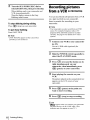
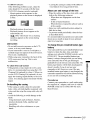
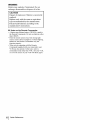
* When there is an S video j_k on _he de_ee to be
_x_a_'axL _'annezt [be S vkleo plug Io that j_&
i_te_ ofu_ng the _11ow vldeo plug. Yhe avAio
wil! n_ be otaput when you _nrte_L
I_[c,m_es cart be reprodu_d
with the S video
more [_ti[h_]]y
_i[h thi_
ot_llti_t_iiolL
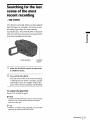
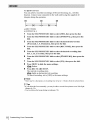
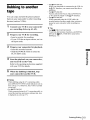
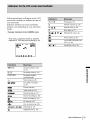
Locatinga scene ona
tape for playback
(D TRV265)
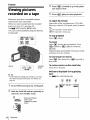
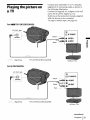
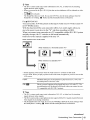
When your13/is connectedto a VCR
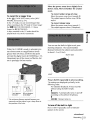
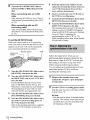
Conn_x't yoctr camcorder
to fl_lelINE IN input
o_ the VCR a_ing the A/V eonnecq:ing can e. Set
the input selec_r
on the VCR t_ _3NE.
To connect to a TV without audiolvideo
inputjacks
For Him TRVI28/228/328/428:
Use a N['SC system RFI _!apmr
Refer t_ fl_lgoperating instructions
and the RFI _daptor.
(optional).
o_'your ['V
PLAY
When yourTV is stereo
For 14111 FRVI28/228/328/428;
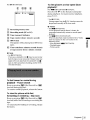
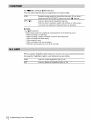
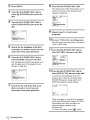
ZERO SET MEMORY
Connect the audio plug o£ the A/V co,meeting
cable to the left (white) k_p_t jack of year TV.
When your13/is monaural(When your
TV has only one audio inputjack)
:]l
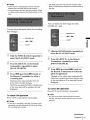
During
playback,
MEMORY
press ZERO
SET
an the Remote
For D'IRV260/265:
Commander at the point you want to
Connect the yellow plug of the A/V cormect ing
locate
cable to the video input jack arm conne_ the
white or the red plug to the aadk_ input jack of
File Utpe counter is tx:set to "0:00:00" and
€0÷ appears on the screen.
If No tape counter is riot displayed, press
DISPLAY on the Remote Commander.
your TV or V(R.
When you warlt m play the sou_d in momi_lral
mode, use a connecting cable (optionN) thr that
purpose.
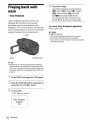
late_ on,
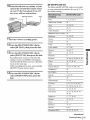
Press STOP when you want to stop
playback,
,-
Press
'<",ill REW.
Yhe rope stops automat icMly wh_n fh_ tape
counter reaches "0:00:00,'
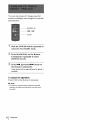
[_1 Press
PLAY,
The playback starts from the poirit
designated
0 0O O0 on the tape eotmter
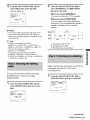
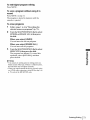
To cancelthe operation
Press ZERO SET MEMOR_
Commander
40 Playback
again.
on tile Remote