1
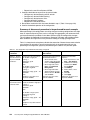
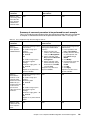
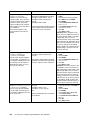
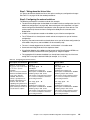
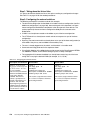
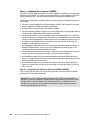
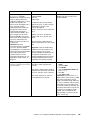
Description and comments
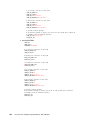
Actions via IOS CLI for CIGEMS2
Actions via CMS for CIGEMS2
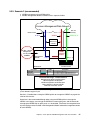
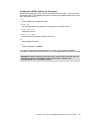
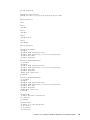
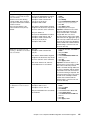
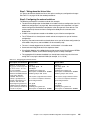
Step 3.2.3: Configure 802.1Q
trunking toward 6500s and add
allowed VLANs for both
EtherChannel and single trunked
link.
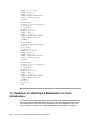
int port-channel 1
description EtherChannel-To-6500-3
switchport trunk native vlan 2
switchport trunk allowed vlan
2,20,25,30,35,40,45,50
switchport mode trunk
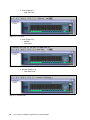
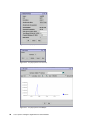
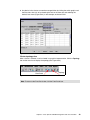
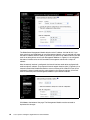
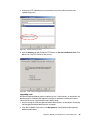
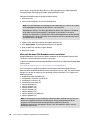
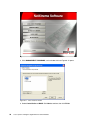
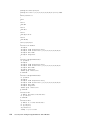
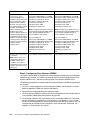
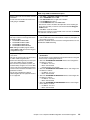
1. In the top toolbar, click VLAN →
VLAN.
2. Click po1.
3. Click Modify.
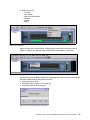
4. In the Trunk-Allowed VLAN field,
enter 2,20,25,30,35,40,45,50.
5. Click OK.
6. Click Apply or OK.
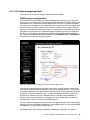
7. In the top toolbar, click Port → Port
Settings.
8. Scroll down and highlight port
gi0/20.
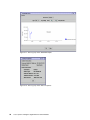
9. Click Modify.
10. Change the description to
Trunk-to-6500-1.
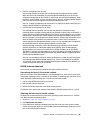
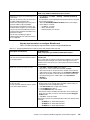
11. In the top toolbar, click VLAN →
VLAN.
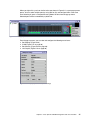
12. Click g0/20.
13. Click Modify.
14. In the Trunk-Allowed VLAN field,
enter 2,20,25,30,35,40,45,50.
15. Make sure the native VLAN is set
to 2.
16. Click OK.
17. Click Apply or OK.
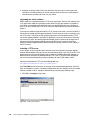
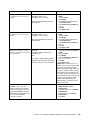
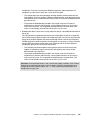
Important: A limitation in the current
version of CMS exists where it will
always include VLANs 1 and 1001
through 1005. This can cause a
mismatch with the setting on the 6500
side and result in the aggregation going
down. The only solution at this time is to
go into the CLI and run the switchport
trunk allowed vlan command with the
desired settings, as shown in the CLI
section for this step.
Note that on the line allowing
specific VLANs, there cannot be
any spaces between the numbers
and the commas.
Also note that VLAN 2 is the
native VLAN on these ports by
default.
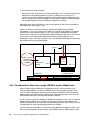
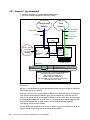
Note that it is necessary to force
optimal flow by changing the cost
on the single link to something
higher than the root cost on the
EtherChannel. In this
configuration, the root cost to both
6500-1 and 6500-3 is equal (4), so
to ensure optimal flow (to 6500-3),
we set 0/20 to 8, which forces the
default flow on to the higher
bandwidth link to 6500-3.
Note: CMS only allows you to
specify the STP port cost for a
VLAN and not the entire port.
Setting this per VLAN can be
tedious at best. Based on this, the
CLI is considered a better choice
for controlling STP port costs.
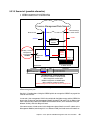
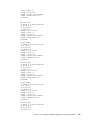
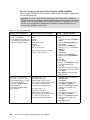
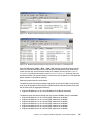
Step 3.2.4: Configure RSPAN for
CIGESM2.
Note that the VLAN numbers might be
wrapped in this document; they should
be on the same line as the command.
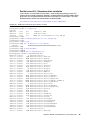
int g0/20
description Trunk-to-6500-1
switchport trunk native vlan 2
switchport trunk allowed vlan
2,20,25,30,35,40,45,50
switchport mode trunk
spanning-tree cost 8
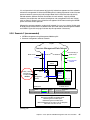
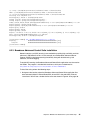
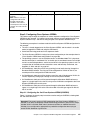
Note that for this topology, although we
dedicated an RSPAN reflector port on
each Cisco Systems IGESM, we only
demonstrate its use on CIGESM1. No
RSPAN commands are performed on
CIGESM2.
N/A
Chapter 7. Cisco Systems IGESM configuration and network integration
173